
Quick Take: Artistly AI Review
Rating: 4.5
Category | Rating | Verdict |
Ease of Use | ⭐⭐⭐⭐ (4/5) | Intuitive for beginners, slightly cluttered for power users |
Feature Depth | ⭐⭐⭐⭐⭐ (5/5) | 30+ AI-powered tools in a single platform |
Output Quality | ⭐⭐⭐⭐ (4/5) | Strong for marketing visuals; some inconsistency on complex prompts |
Pricing Value | ⭐⭐⭐⭐⭐ (5/5) | Exceptional — one-time payment, free lifetime updates |
Customer Support | ⭐⭐⭐⭐ (4/5) | Responsive, but occasional delays on premium issues |
Overall Score | ⭐⭐⭐⭐½ (4.5/5) | Highly Recommended for creators, marketers & small businesses |
Bottom line: Artistly.ai is one of the most feature-rich, budget-friendly AI image platforms available today — particularly if you grab the lifetime deal before it migrates to a subscription model.
Disclosure: BBWebTools.com is a free online platform that provides valuable content and comparison services. As an Amazon Associate, we earn from qualifying purchases. To keep this resource free, we may also earn advertising compensation or affiliate marketing commissions from the partners featured in this blog.
🎯 Introduction: Why I Decided to Test Artistly.ai Seriously
After decades in digital marketing and analytics, I’ve watched creative tool categories evolve at a pace that would have seemed science fiction not long ago. I’ve tested dozens of AI image and design platforms for my blog bbwebtools.com, from the obvious heavyweights like Midjourney and Adobe Firefly to lesser-known challengers trying to carve out their niche.
When Artistly.ai started showing up repeatedly in my community feeds — and when I noticed it kept coming up in my own AI video tools comparison — Artistly.ai vs VideoExpress.ai vs Pictory.ai vs InVideo AI — I decided it deserved a full, unflinching deep-dive.
What initially grabbed my attention wasn’t just the feature list. It was the pricing model. In a landscape where most serious AI tools charge $20–$50 per month — month after month — Artistly.ai offers a one-time payment starting at just $49. That’s an extraordinary claim, and, frankly, my first instinct was to be skeptical.
One-time deals in SaaS often translate to: “We’ll quietly kill this product in 18 months.” So I went in with high standards and a healthy dose of doubt. What I found surprised me, and I want to share every detail — both the impressive and the frustrating — so you can make a genuinely informed decision.
I specifically evaluated Artistly.ai through the lens of bbwebtools.com’s core audience: digital marketers, bloggers, affiliate marketers, small business owners, and online store operators who need high-quality visual content without bleeding out a monthly subscription budget. If that’s you, you’ll want to read every section carefully.
What Is Artistly.ai? A Platform Overview
Artistly.ai is a cloud-based, AI-powered creative platform that transforms simple text prompts into high-quality digital images, illustrations, logos, and design assets — all without requiring any design background or technical skills.
It’s developed and maintained by a team led by Paul Ponna, a well-known figure in the digital product space for consistently delivering tools that exceed expectations. The platform currently sits at Version 6 (Artistly6), with each major update delivered free to existing customers.
What genuinely differentiates Artistly.ai from the crowded text-to-image field is its ambition to be an all-in-one creative ecosystem rather than a simple prompt-to-picture generator.
When you log in, you’re not just getting image generation. You’re getting a suite of 30+ interconnected AI tools covering image creation, photo editing, mockup generation, storybook creation, logo design, style transfer, and even character consistency across multiple outputs.
It also integrates natively with companion platforms, including VideoExpress AI and Clone Voice, creating a broader content-creation stack for creators who need audio-visual output alongside static visuals.
Capterra users rate the platform at 4.8 out of 5 across 489 verified reviews, with a 96% positive sentiment score. Trustpilot shows over 1,024 reviews with a 4-star aggregate. These numbers are unusually high for a relatively new platform, and they held up when I cross-referenced them against GetApp and SoftwareAdvice independently.
🏆 Artistly.ai Core Features: What You Actually Get
AI Image Generation — The Heart of the Platform
The primary engine at Artistly.ai is its text-to-image generator, which delivers genuine speed and quality. Generation times typically fall between 15 and 60 seconds, depending on prompt complexity and server load — numbers that are competitive with Midjourney’s standard queue and significantly faster than many free-tier tools.
I tested it across a range of use cases relevant to my bbwebtools.com content strategy: blog header images, product mockups, social media graphics, and thumbnail concepts. In all of these practical scenarios, the output quality was consistently usable within one or two iterations.
The Smart Prompt Enhancer is one of those features that sounds like a gimmick until you use it. It automatically expands and enriches your raw text input with relevant style keywords, compositional cues, and lighting descriptors — the kind of prompt engineering detail that most beginners spend weeks learning. In my experience, this single feature alone significantly reduces the gap between a basic result and a polished one.
The recommended workflow I settled into was: write a simple concept → run through Prompt Enhancer → generate 3–5 iterations → use inpainting on the chosen variant → upscale → export. It’s repeatable, efficient, and doesn’t require you to become a prompt-engineering specialist overnight.
💡 Key Features at a Glance
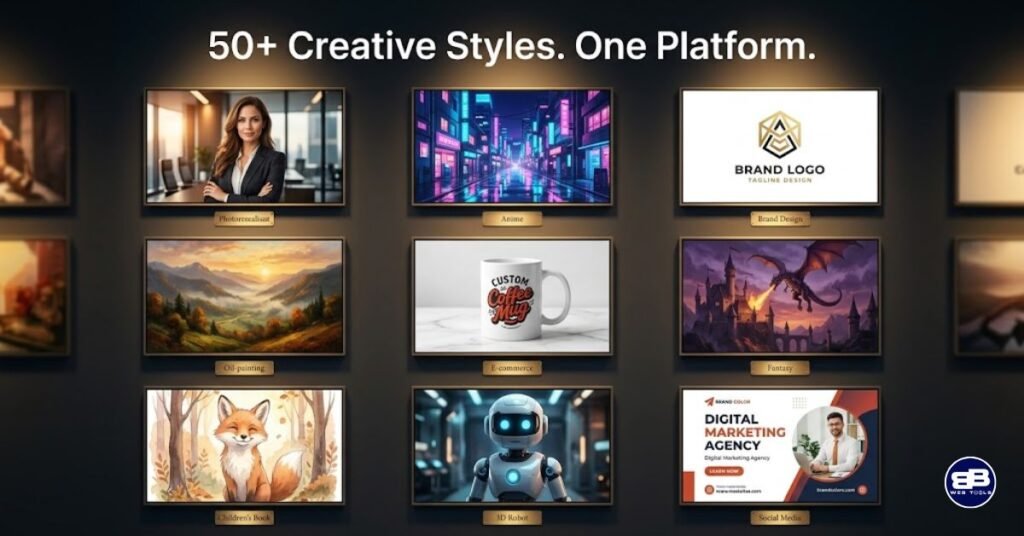
- AI Image Generator — Text-to-image with 50+ style presets (anime, cyberpunk, oil painting, watercolor, photorealism, etc.)
- Smart Prompt Enhancer — Automatic prompt expansion for richer, more detailed results
- AI Inpainting & Human Inpainting — Edit specific areas of an image without regenerating the entire piece
- Mirror Magic — Upload existing images and remix them while preserving core layout
- Consistent Character Generator — Maintain the same character’s face/style across multiple images (Premium only)
- Background Remover & Scene Editor — Swap backgrounds, adjust lighting and shadows
- AI Text Mojo — Embed readable text into AI-generated images (a historically weak area in this category)
- AI Stylizer — Convert photos into anime, cartoon, sketch, oil painting, and more
- Product Mockup Generator — Instantly visualize designs on t-shirts, mugs, books, and more
- Storybook Creator — Multi-page illustrated storybook generation
- Thumbnail Maker — Pre-formatted for YouTube and social media platforms
- Canvas-Style Editor — Drag-and-drop interface for post-generation editing
Character Consistency — A Premium Game-Changer
One of the biggest technical challenges in AI image generation has historically been character consistency — maintaining the same face, physique, and clothing style across multiple scenes. This matters enormously if you’re creating illustrated stories, comic-style content, YouTube thumbnails with a recurring character, or children’s storybooks. Artistly.ai’s Consistent Character Generator (available on the Premium plan) addresses this directly.
In testing, I found it works reliably for solo character generation and currently supports up to two consistent characters per scene. Some reviewers on Capterra specifically called this feature out as a differentiator, noting they use it for book illustration pipelines.
One honest limitation: a few users on Trustpilot reported inconsistencies with style matching, particularly being locked into a Pixar-like aesthetic regardless of the selected style. This wasn’t my consistent experience, but it’s worth flagging as a known edge case that the development team appears to be actively improving in version updates.
AI Text Mojo — Solving One of AI’s Biggest Headaches
Text rendering inside AI-generated images has been notoriously terrible across virtually every platform in this category. Midjourney struggled with it for years. DALL·E has only recently improved meaningfully. Artistly.ai’s Text Mojo feature directly addresses this problem, allowing you to swap, insert, or overlay text within AI images — useful for posters, book covers, product packaging, labels, and marketing banners. It doesn’t produce perfect results 100% of the time, but it’s significantly better than leaving text generation entirely to the raw model.
Artistly.ai Pricing: The Lifetime Deal Breakdown
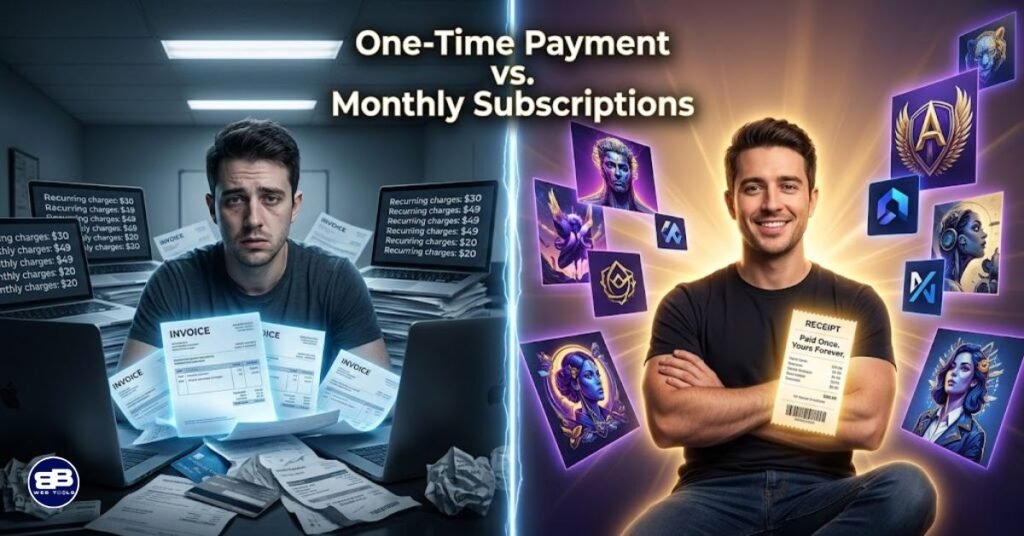
This is where Artistly.ai makes its most compelling argument — and where careful attention to the fine print matters.
Plan | Price | Type | Best For |
Commercial Plan | $49 (one-time) | Lifetime | Solo creators, teachers, bloggers, small businesses |
Premium Plan | $147 (one-time) | Lifetime | Marketers, agencies, storytellers, e-commerce sellers |
This is where Artistly.ai makes its most compelling argument — and where careful attention to the fine print matters.
Both plans include:
- Lifetime access with no monthly fees
- All future updates at no additional cost
- Commercial rights for created content
- 30-day money-back guarantee
The Premium Plan adds the heavy-hitting features: Consistent Character Generator, Product Mockup Generator, AI Stylizers, multi-page Storybook Creator, Thumbnail Maker, and batch prompt processing. For anyone running a content-heavy business — which is my situation across bbwebtools.com and my other online ventures — the $147 Premium plan is the only serious option. That said, at $147 total, it competes against tools that charge that amount per month.
➡️ Grab the Artistly.ai Lifetime Deal Here (30-day money-back guarantee applies)
For context, here’s how the pricing stacks up against the subscription alternatives:
Tool | Monthly Cost | Annual Cost | Artistly.ai Equivalent |
Midjourney (Standard) | ~$30/month | ~$288/year yearly plan | $147 once (Premium) |
DALL·E 3 (via API) | Variable credits | $150–$300+/year | $49–$147 once |
~$15/month | ~$180/year | $49 once (Commercial) | |
Adobe Firefly | ~$20/month | ~$240/year | $147 once (Premium) |
$0/month | $0/year | One-time entry cost |
The math here is stark. If Artistly.ai serves your needs even reasonably well, it pays for itself against Midjourney in fewer than six months — and then runs for free indefinitely. That’s not hype; that’s arithmetic.
One caveat worth noting: The “unlimited image generation” marketing language comes with a Fair Use Policy that caps usage at 400 images per day. For 99% of users, this limit is entirely irrelevant — 400 AI images daily is an extraordinary volume. But if you were hoping to run automated bulk generation at an industrial scale, you’ll hit a ceiling. Artistly.ai markets itself as a creative tool, not a bulk API.
💡 Real-World Use Cases: Who Should Be Using Artistly.ai?
Content Creators and Bloggers
For those of us running content-heavy websites — as I do with bbwebtools.com — the most immediate win with Artistly.ai is blog imagery. Sourcing stock photos is expensive and repetitive. Generating custom, on-topic images for each article via Artistly.ai means your blog header images, in-post illustrations, and social sharing graphics can all be unique, branded, and created in minutes. I’ve shifted a meaningful portion of my visual content workflow to AI generation, and Artistly.ai has earned a consistent spot in that stack.
E-commerce and Product Visualization
For anyone running an online store — and I run three of my own across different niches — the Product Mockup Generator is immediately valuable. You can visualize print-on-demand products like t-shirts, mugs, tote bags, and book covers without ordering physical samples first. This fits naturally into testing product concepts before committing to inventory, which is exactly the kind of low-risk iteration that smart e-commerce operators need.
Social Media Managers and Digital Marketers
The thumbnail maker and social media graphic tools are pre-formatted for platform-specific dimensions, which removes a tedious but important step from the social content workflow. The AI Stylizer opens up options for brand-consistent visual series — transforming photos into a consistent anime style for a campaign, for instance, or watercolor-painted brand assets. For the digital marketers, these time savings translate directly to more output per hour.
Independent Authors and Educators
Several Capterra reviewers highlighted Artistly.ai’s storybook creation workflow specifically for children’s book illustration. The Consistent Character Generator makes it viable to produce an illustrated book with recognizable characters without commissioning a human illustrator for every page. One CEO reviewer literally described using it to create a reading book for their two-year-old grandniece. This is a use case that would have cost several thousand dollars in illustration fees just a few years ago.
Freelancers and Agencies
The commercial license included with both plans means you can legally use any Artistly.ai generated image in client work and sell the output. This is a meaningful distinction from some AI tools that restrict commercial use or require premium upgrades. Agencies producing high-volume visual content for multiple clients will find the batch processing feature in Premium genuinely time-saving.
Artistly.ai Performance: What Testing Actually Revealed
In my hands-on testing over multiple sessions, I ran Artistly.ai through a structured set of scenarios that mirror the real content demands of bbwebtools.com and my broader business operations. Here’s what I found, without the promotional gloss.
Image quality is genuinely strong for marketing and content use cases. Photorealistic landscapes and product shots land well. Illustration styles — particularly watercolor, oil painting, and cartoon — render with convincing texture and consistent color. The platform handles prompts describing people reasonably well, though complex scenes with multiple figures still show occasional anatomical quirks (extra fingers, odd limb positions), a limitation shared by virtually every consumer-facing AI image tool in 2026. The development team has acknowledged this and addressed improvements progressively through version updates.
Prompt adherence — how accurately the output matches what you described — scores well on simpler prompts and slightly less reliably on complex, multi-layered descriptions. The Smart Prompt Enhancer helps close this gap, but experienced prompt engineers who want precise control over style weightings and seed parameters may find Artistly.ai less configurable than open-source tools like Stable Diffusion. The platform is explicitly designed for ease of use over technical depth, and that design philosophy has genuine trade-offs.
Generation speed during normal usage hours averages comfortably within the 15–60 second window. I experienced occasional lag during what I assumed were high-traffic periods, which is expected for any cloud-based platform operating on shared infrastructure. Importantly, there were no failed generations or platform errors during my testing sessions — uptime was solid.
The interface draws some of the most consistent criticism in user reviews, and that criticism is fair. The volume of features available creates a navigation challenge. New users, in particular, report feeling overwhelmed by the number of tools and struggling to locate specific functions within the interface. One Capterra reviewer described it as “very cluttered” and noted that the UX/UI isn’t as intuitive as the feature set warrants. I’d echo that assessment: it took me a meaningful amount of time to build a mental map of where everything lives. Training videos are available and help significantly, but this is an area where the platform has room to grow.
Artistly.ai vs. The Competition: Where It Wins and Where It Doesn't
I covered Artistly.ai in the context of the broader AI creative tools comparison on bbwebtools.com, but let me drill down into the head-to-head picture here.
Feature | Artistly.ai | Midjourney | DALL·E 3 | Canva AI |
Pricing Model | One-time | Monthly sub | Credit-based | Monthly sub |
Starting Price | $49 lifetime | ~$30/month | Variable | ~$15/month |
Commercial Rights | ✅ Both plans | ✅ Standard+ | ✅ | ✅ Pro |
Photo Editing | ✅ Extensive | ❌ | Limited | ✅ |
Character Consistency | ✅ Premium | Limited | ❌ | ❌ |
Mockup Generator | ✅ Premium | ❌ | ❌ | Limited |
Storybook Creator | ✅ | ❌ | ❌ | ❌ |
Offline Access | ❌ | ❌ | ❌ | Limited |
Free Updates | ✅ Lifetime | Included | N/A | Included |
Ease of Use | ⭐⭐⭐½ | ⭐⭐⭐ | ⭐⭐⭐⭐ | ⭐⭐⭐⭐⭐ |
Output Quality (Max) | ⭐⭐⭐⭐ | ⭐⭐⭐⭐⭐ | ⭐⭐⭐⭐ | ⭐⭐⭐ |
🏆 Winner for Value: Artistly.ai — no serious contest when comparing total cost of ownership over 12–24 months.
🏆 Winner for Raw Output Quality: Midjourney — still the benchmark for artistic quality and stylistic range at the highest level.
🏆 Winner for Ease of Use: Canva AI — purpose-built for non-designers with a polished interface.
🏆 Winner for All-in-One Feature Depth: Artistly.ai — no other tool in this price class offers mockups, character consistency, storybooks, and editing in a single platform.
The honest framing here is that Artistly.ai isn’t trying to be Midjourney. It’s trying to be the creative toolkit that a solo marketer, a small agency, or an online store owner actually uses every day — not just the one that produces the most jaw-dropping image in ideal conditions. On that framing, it wins.
Artistly.ai Pros and Cons — The Unvarnished View
✅ What Artistly.ai Gets Right
Artistly.ai’s most powerful advantage is the pricing model, which genuinely disrupts the subscription norm in this space. Beyond cost, the breadth of the feature set — 30+ tools covering the entire visual content lifecycle from generation to editing to export — means you can consolidate tools you might currently be paying for separately.
The consistent character generator alone would justify the Premium price tag for anyone in the illustrated content space. Free lifetime updates demonstrate that the development team is committed to the platform’s longevity, and the track record of multiple major version releases (including Artistly6) supports that claim.
Customer support receives consistently positive mentions across review platforms, with response times generally described as timely and helpful.
❌ Where Artistly.ai Falls Short
The interface complexity is the platform’s most significant weakness. The sheer number of features creates a navigation experience that can feel disorganized, particularly for new users who haven’t yet become familiar with the tool’s layout.
The lack of any offline functionality is a structural limitation inherent to cloud-based platforms, but it’s worth noting for anyone with intermittent connectivity. Advanced users who want granular control — adjusting seeds, steps, LoRA models, or style weightings manually — will find the abstraction frustrating; this tool deliberately simplifies those controls to prioritize accessibility.
Finally, while the “unlimited” image generation claim is technically accurate for most use cases, the 400-images-per-day fair use ceiling is buried in the terms and has surprised some users expecting truly uncapped output.
📊 Artistly.ai Scorecard
Evaluation Dimension | Score | Notes |
Image Generation Quality | 8/10 | Strong for marketing; some complexity limits |
Feature Breadth | 10/10 | Best-in-class for a one-time-payment tool |
Ease of Use | 7/10 | Approachable but cluttered; learning curve exists |
Value for Money | 10/10 | Exceptional — math strongly favors a lifetime deal |
Output Consistency | 7.5/10 | Reliable for standard prompts; complex scenes vary |
Customer Support | 8/10 | Generally responsive; occasional delays |
Platform Stability | 8.5/10 | Solid uptime; minor lag during peak periods |
Commercial Viability | 9/10 | Full commercial rights, mockups, scalable workflow |
Overall | 8.5/10 | Highly recommended for its target audience |
Who Should Buy Artistly.ai — And Who Shouldn't
Artistly.ai is the right tool for you if:
- You’re a content creator, blogger, or digital marketer who needs a consistent supply of custom visuals
- You run an online store and want product mockups without expensive photo shoots
- You’re a freelancer who produces visual content for clients and needs commercial rights
- You create illustrated content — storybooks, social series, or character-based marketing
- You’re budget-conscious and want to avoid perpetual subscription fees
- You’re a beginner who wants powerful features without needing to master prompt engineering
Artistly.ai may not be the right tool if:
- You’re an advanced AI art practitioner who needs granular technical control (seed, steps, LoRA)
- Your primary use case is photorealistic portraiture at the highest possible quality level
- You need robust team collaboration features with role-based access
- You work primarily offline or in environments with unreliable internet connectivity
You need integrations with enterprise-level platforms or proprietary marketing stacks
My Verdict: Is the Artistly.ai Lifetime Deal Worth It?
After extensive testing and cross-referencing with hundreds of verified user reviews across Capterra, Trustpilot, GetApp, and SoftwareAdvice, my professional assessment is straightforward: for its target audience, Artistly.ai is one of the best value propositions in the AI creative tools market right now.
The $147 Premium lifetime price is competitive and disrupts tools that charge $240–$360 per year for comparable or lesser capability. When you factor in the free lifetime updates (the platform is already on its sixth major version), the commercial rights, and the breadth of tools that would otherwise require three or four separate subscriptions to replicate, the math is overwhelming. I’ve personally integrated Artistly.ai into my content workflow at bbwebtools.com and found it earns its place alongside the other AI tools I cover and recommend.
That said, I want to be honest about what it is and isn’t. It’s not going to produce Midjourney-level artistic masterpieces at the push of a button. The interface will require an investment in learning — plan for several hours of exploration before you feel fluent. And if you’re a power user expecting Stable Diffusion-level technical control, this is not your tool.
What it is, for bloggers, marketers, small business owners, and independent creators, is a remarkably capable, perpetually updated, commercially licensed creative studio at a price that should frankly make its competitors nervous.
➡️ Try Artistly.ai — Lifetime Deal (30-Day Money-Back Guarantee)
If you want to see how Artistly.ai compares to VideoExpress.ai, Pictory.ai, and InVideo AI, read complete AI video & creative tools comparison on bbwebtools.com. And if you’re exploring the broader AI tools landscape for your business, check out my AI related blogs — all part of the bbwebtools.com resource library built to help digital businesses grow smarter.
❓ Frequently Asked Questions About Artistly.ai
What is Artistly.ai and what does it do?
Artistly.ai is a cloud-based AI creative platform that converts text prompts into digital images, illustrations, logos, and design assets. It includes 30+ tools covering image generation, photo editing, mockup creation, character consistency, storybook building, and more.
How much does Artistly.ai cost?
Artistly.ai offers two one-time lifetime plans: the Commercial Plan at $49 and the Premium Plan at $147. Both include free lifetime updates and a 30-day money-back guarantee, with no recurring monthly fees.
Is Artistly.ai truly “unlimited”?
The platform markets unlimited image generation, but a Fair Use Policy caps output at 400 images per day. For the vast majority of users, this limit is irrelevant. Bulk automated generation at scale would hit this ceiling.
Does Artistly.ai include commercial rights?
Yes. Both the Commercial and Premium plans include rights to use generated images in commercial projects. The Premium plan includes extended commercial licensing for higher-volume use.
How does Artistly.ai compare to Midjourney?
Midjourney produces higher-quality, more stylistically precise output, but costs approximately $30/month and lacks a commercial license on base tiers. Artistly.ai offers a lower ceiling on pure artistic quality but significantly greater feature breadth, commercial rights, and an unbeatable price advantage for long-term use.
Is there a free trial for Artistly.ai?
At the time of writing, Artistly.ai does not offer a free-forever plan, but it does offer a 30-day money-back guarantee on paid plans, which effectively functions as a risk-free trial period.
Can I use Artistly.ai for print-on-demand products?
Yes. The Premium plan’s mockup generator is specifically designed for print-on-demand use cases, allowing you to visualize designs on products like t-shirts, mugs, and book covers before production.
What are Artistly.ai’s biggest weaknesses?
The main criticisms from verified users include: a cluttered interface that can overwhelm new users, no offline functionality, limited granular control for advanced prompt engineers, and occasional inconsistency in character style generation.
Does Artistly.ai work on mobile?
Artistly.ai is accessible via browser on mobile devices, but the desktop experience offers more control and functionality, particularly for editing-intensive workflows.
Will I continue to receive updates after buying the lifetime deal?
Yes. This is one of Artistly.ai’s most praised commitments. Existing customers have received major version updates (including Artistly 4, 5, and 6) entirely free of charge — a key differentiator from tools that charge separately for major releases.
📚 Sources
- Capterra — Artistly User Reviews (489 Verified Reviews, 4.8/5): capterra.com/p/10015856/Artistly
- Trustpilot — Artistly.ai Customer Reviews (1,024+ Reviews): trustpilot.com/review/artistly.ai
- GetApp — Artistly Reviews & Analysis (244 Verified Reviews): getapp.com/all-software/a/artistly
- SoftwareAdvice — Artistly Product Reviews & Ratings: softwareadvice.com/product/449917-Artistly
- Ampifire — Artistly AI Reviews & Pricing Deep Dive (2025): ampifire.com/blog/artistly-ai-reviews-pricing
About the Author
BB is a digital marketing strategist and analytics professional with over 15 years of hands-on experience across e-commerce, affiliate marketing, SEO, and AI-driven content strategy. He runs four online businesses, including bbwebtools.com, a leading resource for digital marketers and business owners navigating the AI tools landscape.
His reviews and comparisons are built on direct product testing, verified user research, and real-world application across his own content and e-commerce operations — not sponsored opinions or affiliate-first analysis. When he recommends a tool, it’s because it’s genuinely earned a place in his own workflow.
Follow his work at bbwebtools.com for ongoing AI tool reviews, digital marketing strategies, and platform comparisons.
Disclosure: This article contains affiliate links. If you purchase through these links, bbwebtools.com may earn a commission at no additional cost to you. All opinions expressed are based on genuine testing and research.