
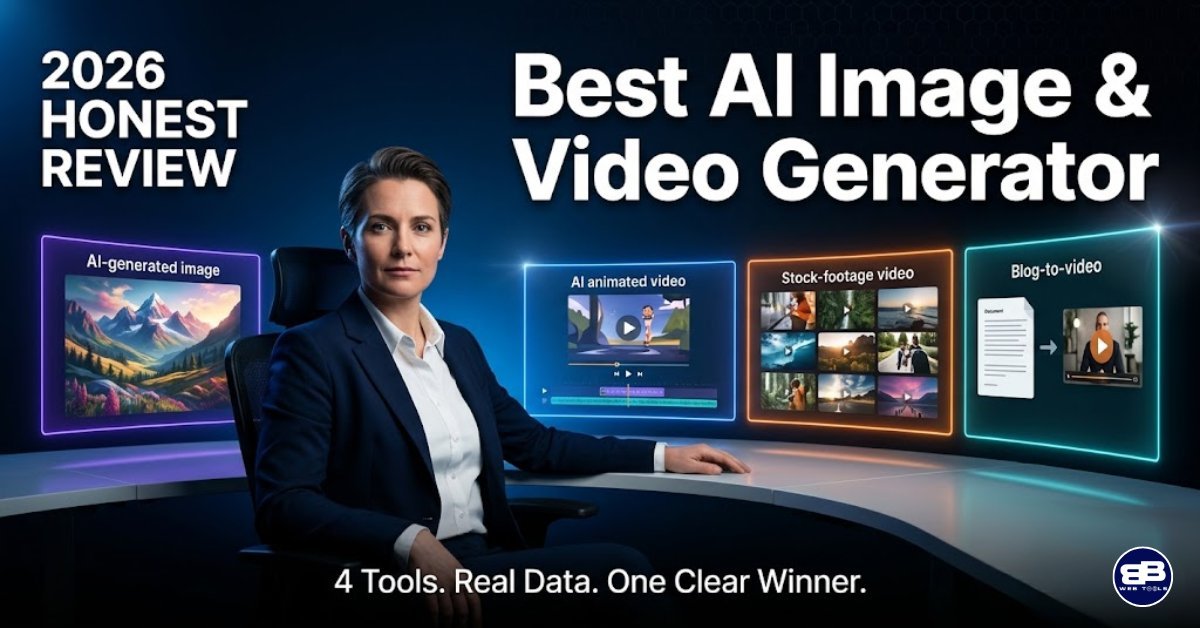
🎯 Quick Read:
Best AI Image and Video Generator – Everything – You Need to Know in 90 Seconds
Quick Verdict: For solo creators and small business owners who want the most capability per dollar, Artistly AI and VideoExpress AI together deliver the strongest value in this comparison. You pay once and own both forever. For agencies or teams producing high volumes of stock-based video content, InVideo AI’s depth of media assets and automation pipeline is compelling. And if your primary goal is squeezing more reach from content you have already created, Pictory AI is in a class of its own for repurposing workflows.
🔍 Quick Comparison: Artistly AI vs VideoExpress AI vs InVideo AI vs Pictory AI
🎨 Artistly AI
- Primary Use: AI image, logo & art generator
- Pricing: One-time lifetime — $49 (Commercial) / $147 (Premium)
- Free Plan: ❌ — 30-day money-back guarantee
- Generation Limits: 400 images/day (fair use policy)
- Watermark-Free: ✅ All plans
- Consistent Characters: ✅
- Native AI Image Gen: ✅ Core feature
- Stock Media Library: ❌
- Team Collaboration: ❌
- Affiliate Programme: JVZoo (per-sale commission)
- Capterra Rating: ⭐ 4.8/5 (483 reviews)
- Verdict: 🏆 Best value AI image tool
🎬 VideoExpress AI
- Primary Use: AI text-to-video & image animation
- Pricing: One-time lifetime — $49 (Basic) / $179 (All-Access)
- Free Plan: ❌ — 30-day money-back guarantee
- Generation Limits: 3,000 clips/month (Basic); 6,000 clips/month (All-Access)
- Watermark-Free: ✅ All plans
- Consistent Characters: ✅ All-Access plan
- Native AI Image Gen: ✅ Image-to-video pipeline
- Stock Media Library: ❌
- Team Collaboration: ❌
- Affiliate Programme: JVZoo (per-sale commission)
- Capterra Rating: ⭐ 4.7/5 (5,694 reviews)
- Verdict: 🏆 Best value AI video tool
⚡ InVideo AI
- Primary Use: Text-to-video (stock-based, with Sora 2 & VEO 3.1)
- Pricing: Monthly subscription — paid from ~$17/month
- Top Tier: ~$96/month (Generative plan)
- Free Plan: ✅ Limited weekly quota — no credit card required
- Generation Limits: 50 AI min/month (Plus); 200 AI min/month (Max)
- Watermark-Free: ❌ Paid plans only
- Consistent Characters: ❌
- Native AI Image Gen: ⚠️ Limited (stock-first approach)
- Stock Media Library: ✅ 16M+ assets (iStock, Storyblocks, Shutterstock)
- Team Collaboration: ✅ Teams plan
- Affiliate Programme: Up to 50% commission (first payment)
- Capterra Rating: ⭐ 4.6/5
- Verdict: ✅ Best for scale & high-volume production
📹 Pictory AI
- Primary Use: Content repurposing — blogs, podcasts & long-form video to video
- Pricing: Monthly subscription — 14-day free trial; from $19/month (annual)
- Top Tier: $99/month (Teams plan, billed annually)
- Free Plan: ✅ 14-day trial — no credit card required
- Generation Limits: 200 min/month (Starter); 600 min/month (Professional)
- Watermark-Free: ❌ Paid plans only
- Consistent Characters: ❌
- Native AI Image Gen: ❌
- Stock Media Library: ✅ 3M–12M+ assets (Getty Images on Pro+)
- Team Collaboration: ✅ Teams plan
- Affiliate Programme: Up to 50% recurring commission
- Capterra Rating: ⭐ 4.5/5
- Verdict: ✅ Best for content repurposing
⚠️ Pricing Disclaimer Pricing, plan features, and product details referenced in this article were accurate at the time of publication. Software pricing and features can change frequently and without notice. bbwebtools.com makes every effort to keep reviews current, but cannot guarantee real-time accuracy of third-party pricing data. Always verify current pricing directly on the official product website before making any purchasing decision. Last reviewed: May 2026
Disclosure: BBWebTools.com is a free online platform that provides valuable content and comparison services. As an Amazon Associate, we earn from qualifying purchases. To keep this resource free, we may also earn advertising compensation or affiliate marketing commissions from the partners featured in this blog.
Why This Comparison Exists and
Why I’m the Right Person to Write It 💡
With over three decades of experience in digital marketing and analytics, I have tested more AI tools than I can count — and I have learned, sometimes painfully, that choosing the wrong one does not just cost money. It costs time, kills creative momentum, and creates technical debt that slows down everything else in your workflow.
I currently run four online businesses that depend on high-quality visual content every single day. Across these businesses, I consistently create images for blog posts, promotional banners, social media content, product videos, and marketing campaigns. Every tool I recommend on this site has been tested in real business environments—not in a sandboxed demo account.
The AI image and video generation space has matured significantly in 2025. What was once a novelty is now a genuine production tool, and the quality gap between AI-generated content and professionally produced material has narrowed to the point where the average viewer cannot distinguish between the two in most use cases.
That shift makes the tool selection decision genuinely important. If you pick the right tool for your workflow, you can cut your content production time by 50 to 70 percent and dramatically increase your publishing frequency. If you pick the wrong one, you end up paying monthly fees for a tool you have outgrown, or worse, one that never quite fit your needs in the first place.
In this comprehensive review, I am comparing four tools that represent the current landscape of AI image and video generation: Artistly AI, VideoExpress AI, InVideo AI, and Pictory AI. I am going to go deeper than the typical comparison article. You will find the full plan breakdown — prices, generation limits, feature locks, and what each tier actually includes.
You will find honest pros and cons based on verified user data and my own testing. You will also find a full comparison of affiliate programs if you are looking to monetize your content with these tools. And you will find YouTube training resources for each platform, because the best tool in the world is only as useful as your ability to get the most out of it. Let’s get into it.
🏆 Artistly AI: The Best AI Image Generator for One-Time Buyers
What Is Artistly AI?
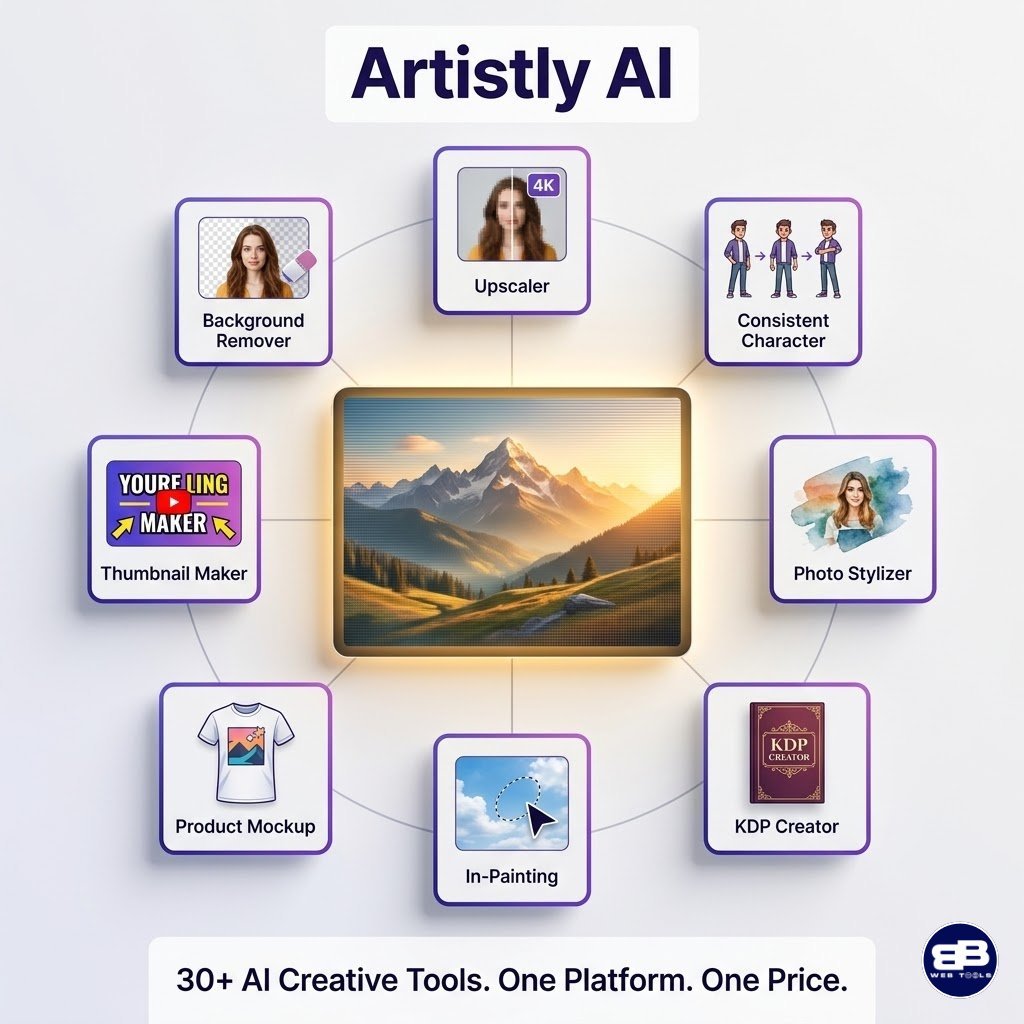
Artistly AI is a cloud-based AI creative suite developed by Paul Ponna and Sid Diwar, two of the most recognised names in the JVZoo SaaS ecosystem, with a proven track record of building tools that are consistently updated long after launch. Artistly’s primary function is to generate high-quality images, logos, artwork, and commercial design assets from simple text prompts, with no need for design experience or prior knowledge of AI tools.
What genuinely sets Artistly apart from the crowded field of AI image generators is its breadth of capabilities beyond basic image generation. The platform includes more than 30 individual AI-powered tools in a single interface, covering everything from background removal and image upscaling to product mockup creation and KDP book cover generation. When I first explored the platform, I expected another Midjourney clone. What I found instead was a genuinely practical commercial design suite built with marketers’ and business owners’ needs in mind.
The Consistent Character Generator is one of the standout features. It solves one of the most persistent frustrations with AI image tools, the inability to maintain a character’s appearance across multiple images. In my own work, creating blog featured images and social media graphics, this feature alone has saved hours of back-and-forth prompt engineering.
The AI In-Painting feature allows you to click on any area of a generated image, describe what you want to change, and let the AI regenerate that specific section without altering the rest of the composition. It is the kind of granular editing capability that used to require Photoshop skills, now available with a few words.
Artistly AI Pricing Plans — Full Breakdown
Artistly AI does not offer a free plan or a free trial. Instead, it offers 30 ays money back guaranteed. Both plans are lifetime deals — you pay once and own the tool permanently.
Commercial
$49/One Time
-
AI image generator
-
Inpainting
-
Background Remover
-
Upscaler
-
Stylizer
-
Community Feed
-
Commercial Licence
-
And More
Premium
$147/One Time
-
Everything in Commercial +
-
Consistent Character
-
Product Mockups
-
AI Stylizer
-
Storybook Creator
-
Bulk Clipart Generator
-
Priority Features
-
AI Book Covers
-
AI Kids Activity Books Maker
-
Amazon KDP Paperback Book Creator
-
Add More
- Upgrade from Commercial to Premium: There is an option to upgrade from the $49 plan at any time for the difference
- At the time of writing, the company offers 10% off
- Generation Limits: A fair use policy applies with a ceiling of 400 image generations per day, designed to prevent bot abuse. In practice, this limit is generous enough that the vast majority of users — even high-volume content creators — will never encounter it in a normal working day.
- For full plans’ details and the latest deals and features, visit the Artistly AI website
30-Day Money-Back Guarantee: Full refund available upon request via support@artistly.ai, with no questions asked.
Key Features of Artistly AI
- Unlimited AI Image Generator — text prompts to high-resolution images, no credit system
- AI In-Painting & Human In-Painting — modify specific image areas without regenerating the whole image
- Consistent Character Generator — maintain visual continuity of characters across multiple designs (Premium)
- Mirror Magic — upload an existing image and transform it into an original, copyright-free version
- AI Photo Stylizer — convert photos into anime, oil painting, sketch, cartoon, and more
- Background Remover & Scene Editor — remove, replace, and extend backgrounds with AI lighting adjustments
- AI Image Upscaler — 3x resolution enhancement without quality loss
- KDP Book Cover Creator — purpose-built for Amazon self-publishers
- Product Mockup Generator — place designs on T-shirts, mugs, and other products with realistic textures
- AI Thumbnail Generator — YouTube and blog thumbnails optimised for click-through
Artistly AI Pros and Cons
✅ Pros:
- One-time pricing eliminates subscription fatigue — pay once, use indefinitely
- No credit system for standard image generation — truly unlimited within the daily fair use limit
- 30+ tools in a single platform, reducing the need for multiple subscriptions
- Constant platform updates at no additional cost — a rare commitment from JVZoo vendors
- Commercial licence included — all generated assets can be used in client work and sold
- Active Facebook community group with direct developer support
- Weekly training webinars included with purchase
- Integrates natively with VideoExpress AI — no file exports needed between platforms
❌ Cons:
- No free plan or trial period — you must purchase to access the tool
- A 30-day refund window is the only way to “try” the platform risk-free
- Advanced features like Consistent Character are locked behind the $147 Premium plan
- Some users report UI navigation issues, requiring scrolling to access certain menus
- Cloud-based only — no offline mode or desktop app
- AI outputs in photorealistic mode can still appear illustration-like rather than fully photographic
- No API available for custom integrations or developers
- The platform primarily supports English for prompt inputs
- Multi-character scenes remain a challenge, with some inconsistency reported
🎬 Artistly AI — YouTube Training Resource
The official Artistly tutorials page at artistly.ai/tutorials2 also provides step-by-step video walkthroughs for individual features.
🏆 VideoExpress AI: The Best AI Video Generator for One-Time Buyers
What Is VideoExpress AI?
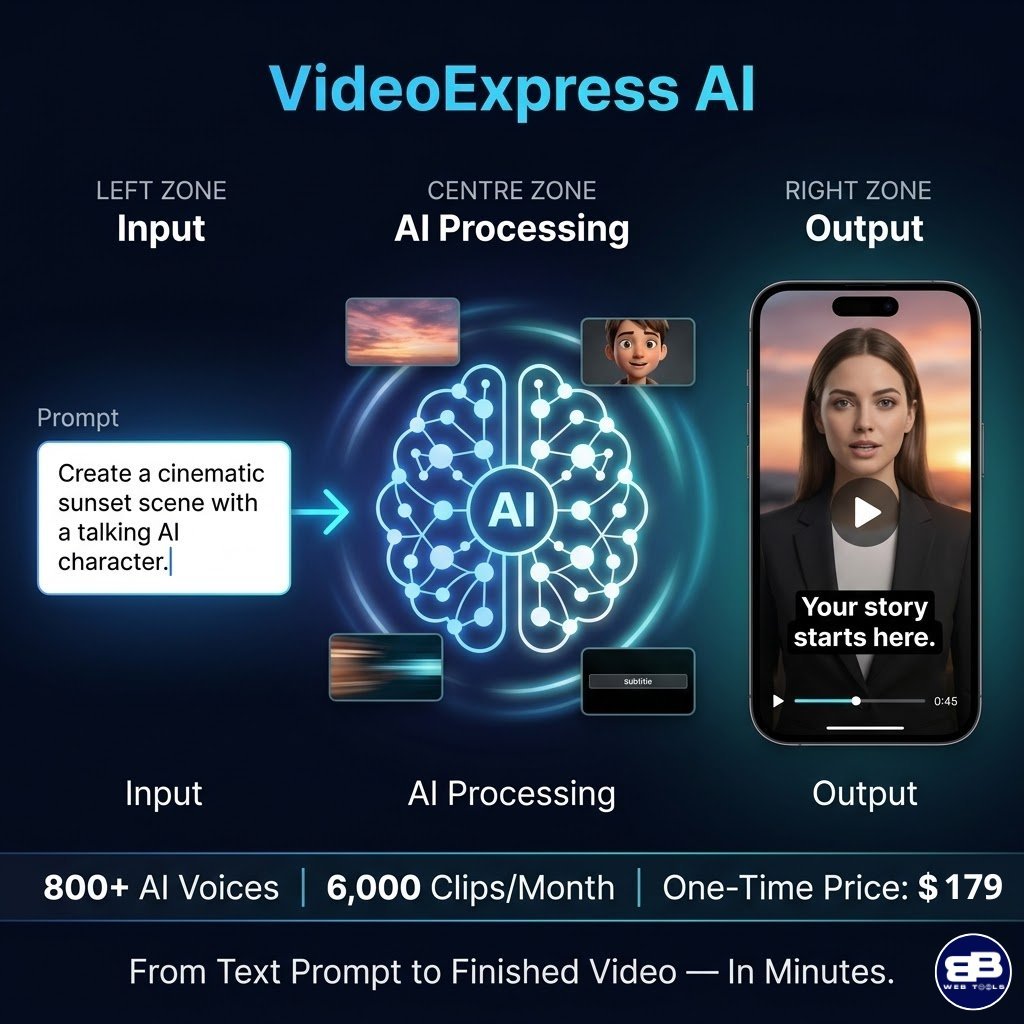
VideoExpress AI is the video creation companion to Artistly AI — built by the same development team and designed to work seamlessly with Artistly-generated images. Where Artistly handles the image side of your creative pipeline, VideoExpress AI handles everything from text-to-video generation and image animation through to final editing, voiceover, subtitles, and export. Like Artistly, it operates entirely in the cloud and charges a single one-time fee with no recurring monthly payments.
With over 5,694 verified reviews on Capterra and a 4.7 out of 5 rating, VideoExpress AI has one of the largest verified user bases of any tool in this comparison — a meaningful signal of both product quality and longevity. The most frequently cited use case, according to GetApp’s analysis of 583 reviews, is AI video generation, cited by 96% of reviewers. The platform has clearly found strong product-market fit with content creators, social media managers, and video marketers who want professional-quality output without the complexity of traditional video editing software.
The flagship VideoExpress 2.0 release in 2025 introduced what the company positions as a direct rival to Veo 3 and Sora — Google’s and OpenAI’s premium AI video generation systems — but without monthly credits, subscription fees, or usage caps.
In my testing, the output quality of VideoExpress 2.0’s generative clips is genuinely impressive for a tool at this price point, particularly for short-form social media content, animated explainers, and faceless YouTube channels.
VideoExpress AI Pricing Plans — Full Breakdown
Like Artistly, VideoExpress AI operates on a one-time pricing model with no monthly fees.
Basic
$49/One Time
-
Text-To-Video (4 Sec Clips)
-
Image-To-Video
-
Timeline Editor (Up To 5 Min)
-
AI Voiceover (100+ Voices)
-
Subtitles
-
Screen Recorder
-
Animations
-
Pricing table list item
-
3,000 AI Video Clips/Month
All-Access
$179/One Time
-
Everything in Basic +
-
8-second AI clips
-
Talking & Singing Photos (100 renders/mo, 30 sec each)
-
AI sound effects
-
Consistent Character
-
Video Inpainting
-
Video Length Increaser
-
Face Swap
-
AI Background Editor
-
Faster Rendering Server
-
6,000 AI Clips/Month
Important generation limits to understand:
- At the time of the writing, the company offers 10% off when purchase “All Access” plan
- The 3,000/6,000 monthly limit applies only to fully rendered AI clips generated via the “AI Prompt to Video” or “AI Image to Video” features
- Unlimited previews are available before rendering — only finalised renders count toward the monthly fair use quota
- The Timeline Video Editor for assembling clips into long-form videos (up to 5 minutes per video) is unlimited with no volume cap
- Talking Photos are limited to 100 renders per month (30 seconds per scene) on the All-Access plan; the Basic plan does not include Talking Photos
- For full plans’ details and the latest deals and features visit VideoExpress AI website
30-Day Money-Back Guarantee: Full refund available, same policy as Artistly AI.
Key Features of VideoExpress AI
- AI Text-to-Video — convert text prompts into animated cinematic video clips in seconds
- AI Image-to-Video — bring any static image to life with motion and cinematic effects
- AI Video Inpainting — select any object or area within a video frame and modify it with a prompt (All-Access)
- AI Video Motion Brush — add targeted directional motion to specific parts of a video (All-Access)
- Talking & Singing Photos — animate portrait images with realistic lip-sync, eye blinks, and expressions (All-Access)
- Consistent Character Generation — maintain character visual consistency across multiple video scenes (All-Access)
- Timeline Video Editor — merge multiple AI clips into long-form videos up to 5 respectively 10 minutes each
- AI Text-to-Speech — 800+ ultra-realistic voices in multiple languages, including English, Spanish, Hindi
- AI Prompt Writer — AI-generated optimised prompts for users struggling with prompt engineering
- AI Sound Effects Generator — generate custom audio by describing sounds in text
- Face Swap — replace faces in AI-generated videos seamlessly (All-Access)
- AI Background Editor — change video backgrounds without green screen equipment (All-Access)
- Artistly AI Direct Integration — access all Artistly-generated images directly inside VideoExpress with no exports
VideoExpress AI Pros and Cons
✅ Pros:
- One-time pricing with genuine lifetime access — the strongest cost advantage in this comparison
- No watermarks on any plan — professional-ready output from the $49 entry tier
- Native integration with Artistly AI creates a complete image-to-video workflow in a single ecosystem
- 800+ AI voices, including multilingual support, competitive with subscription tools costing many times more
- The All-Access plan’s Talking Photos feature enables powerful faceless video formats at a fraction of the alternatives’ cost
- Weekly training webinars, Meta Group, Teams Group, and WhatsApp community included — exceptional post-purchase support for a one-time product
- Consistent updates with new features added at no extra charge
- Full HD 1080p output across all plans
❌ Cons:
- Monthly clip generation limits (3,000 / 6,000) may feel restrictive for very high-volume commercial operations
- Talking Photos are only available on the $179 All-Access plan — the single most-requested feature is behind the upgrade
- Individual AI clips are short (4 seconds on Basic; up to 8 seconds on All-Access), requiring multiple clips for longer storytelling
- Some reviewers note that AI voiceovers lack natural emotional range, sounding robotic in narrative-heavy content
- Advanced features like Face Swap and Consistent Character require the All-Access upgrade, which some users feel should be included at the entry level
- As a JVZoo product, payment processing and upsell flows can feel aggressive compared to mainstream SaaS platforms
- No offline mode; full internet connection required for all operations
- Video length per export is capped at 5 minutes in the timeline editor, limiting long-form content production
🎬 VideoExpress AI — YouTube Training Resource
For a hands-on tutorial covering Consistent Character creation, scripting, text-to-video generation, and assembling a complete AI video from scratch, watch: VideoExpress 2.0: Complete Guide For Creating Consistent Character and Videos | Beginner Tutorial by VideoExpress AI team.
💡 The Artistly AI + VideoExpress AI Integration: Why Two Tools Become One Workflow
Before moving to the subscription tools, it is worth pausing on something most reviews of these tools miss entirely: the practical significance of the native integration between Artistly AI and VideoExpress AI. When you generate an image in Artistly, whether that is a custom character, a product mockup, a scene background, or a branded graphic, that image appears directly inside your VideoExpress account with no download, no re-upload, and no format conversion required.
This matters more in practice than it might sound in theory. Every friction point in a creative workflow is a potential stopping point. The fewer times you have to switch applications, the more consistently you produce. In my experience managing content workflows across four businesses, I have found that the number of tool-switches required to complete a task has a surprisingly large impact on actual daily output.
A seamless Artistly-to-VideoExpress pipeline means you can take a concept from initial image generation to a finished animated video with voiceover and captions without ever leaving the ecosystem.
The Consistent Character feature, which spans both platforms under the All-Access / Premium tiers, amplifies this advantage further. A character you build in Artistly retains its visual identity when imported into VideoExpress, enabling the kind of branded, serialised content that previously required a dedicated design team.
For YouTube creators building a recurring show format, for marketers running a product campaign, or for e-commerce operators producing instructional video content, this continuity is a genuine production-grade capability delivered at a lifetime price that most subscriptions do not come close to matching.
What Is InVideo AI and Who Should Be Using It?

InVideo AI occupies a different category from the two tools above. Rather than generating original AI visuals from prompts, InVideo primarily builds its video output by combining AI-generated scripts with curated selections from a library of over 16 million stock images and video clips. You describe the video you want. InVideo’s AI generates the script, selects the most relevant stock footage, arranges transitions, and adds a voiceover — all automatically. The result is a complete draft video in minutes.
This approach has two significant advantages.
- First, the stock library is enormous and constantly updated, which means the visual quality and contextual relevance of automatically selected clips are high.
- Second, the workflow is extremely fast for standardised content formats — social media ads, explainer videos, product promos, and educational content. I have seen digital agencies use InVideo to produce 20 to 30 short-form videos per week at a consistency and scale that would be unsustainable with any manual editing workflow.
The platform also integrates Sora 2 (OpenAI’s video generation model) and Google VEO 3.1 into its higher-tier plans, providing access to genuinely cutting-edge generative AI video capabilities through a single subscription rather than separate premium accounts with individual credit systems.
InVideo AI Pricing Plans — Full Breakdown
InVideo AI operates on a credit-based subscription model. Monthly allowances do not roll over — unused credits reset on the first of each month.
Plus
$17/month
-
75 credits/mo.
-
Access to all AI models including Veo 3.1, Sora 2 & Kling 3
-
Access to all AI workflows
-
Access to AI video trends
-
4 AI avatars & voice clones
-
20 GB storage & 100 iStock
-
75 credits is enough for: 300 Nano banana pro, 600 Nano banana 2 generations
Max
$85/month
-
390 credits/mo.
-
Access to all AI models including Veo 3.1, Sora 2 & Kling 3
-
Access to all AI workflows
-
Access to AI video trends
-
16 AI avatars & voice clones
-
100 GB storage & 200 iStock
- 390 credits is enough for: 1560 Nano banana pro, 3120 Nano banana 2 generations
Generative
$170/month
-
800 credits/mo.
-
Access to all AI models including Veo 3.1, Sora 2 & Kling 3
-
Access to all AI workflows
-
Access to AI video trends
-
40 AI avatars & voice clones
-
2 TB storage & 1000 iStock
- 800 credits is enough for: 3200 Nano banana pro, 6400 Nano banana 2 generations
Important credit system notes:
- At the time of the writing, the company offers up to 20% off when purchase one year plan
- Credits are consumed per generation based on video length and complexity, a 5-minute video uses significantly more credits than a 30-second clip
- Each regeneration attempt (for corrections or style changes) consumes additional credits, including when fixing platform-side errors — a friction point noted by multiple verified reviewers
- Plans can be “boosted” up to 5x for additional monthly limits at an extra cost
- iStock asset allowances do not roll over and reset monthly
- For complete plans’ details and the latest deals and features visit InVideo AI website
Key Features of InVideo AI
- AI Script-to-Video — natural language video creation from a plain text description
- 16M+ Stock Media Library — one of the largest licensed media libraries integrated into any AI video tool
- AI Dubbing & Multilingual Support — voice cloning and dubbing into 50+ languages
- Magic Box Text Editing — modify any generated video element using plain text commands
- Brand Kit — save logos, colours, and fonts for consistent output across campaigns
- Sora 2 + VEO 3.1 Integration — access to OpenAI and Google’s flagship video generation models (Generative plan and above)
- Auto Subtitles — AI-generated timed captions with accessibility compliance
- Team Collaboration — shared brand assets, templates, and project access for agencies (Teams plan)
- YouTube Channel Integration — automatic copyright whitelisting to prevent Content ID issues
InVideo AI Pros and Cons
✅ Pros:
- Free plan available — genuine risk-free testing before any payment commitment
- 16M+ stock media library provides unmatched visual variety for stock-based video production
- Sora 2 and VEO 3.1 integration on higher tiers delivers state-of-the-art generative video quality
- Multilingual support in 50+ languages opens up an international audience reach
- Brand kit and team collaboration features make it highly practical for agencies and multi-user operations
- Magic Box text-based editing is genuinely intuitive and fast for revision workflows
- Automatic subtitle generation with YouTube channel whitelisting saves significant post-production time
- Plan can be cancelled at any time — no lock-in
❌ Cons:
- The credit system can become costly quickly, especially for complex or frequently revised videos
- Credits are consumed even when fixing AI generation errors — a frustration widely reported in verified user reviews
- Free plan exports include InVideo watermarks, limiting any professional or commercial use
- Relies primarily on stock footage rather than original AI generation — visual output can feel generic for brands seeking unique imagery
- No Consistent Character feature — each scene can produce visually different characters
- Monthly costs accumulate significantly over time: $35–$120/month amounts to $420–$1,440 per year
- Export failures and slow rendering times have been reported by multiple Trustpilot reviewers (3.9/5 on Trustpilot vs 4.6/5 on Capterra — a notable divergence worth flagging)
- No one-time pricing option — subscription forever or lose access
🎬 InVideo AI — YouTube Training Resource
For a complete beginner’s walkthrough of the InVideo AI interface, video generation workflow, and best practices for the credit system, start with InVideo’s official YouTube channel at youtube.com/@InVideoOfficial, which publishes regular tutorials, product update walkthroughs, and use-case-specific guides for social media, YouTube, and agency workflows.
What Is Pictory AI and Who Should Be Using It?
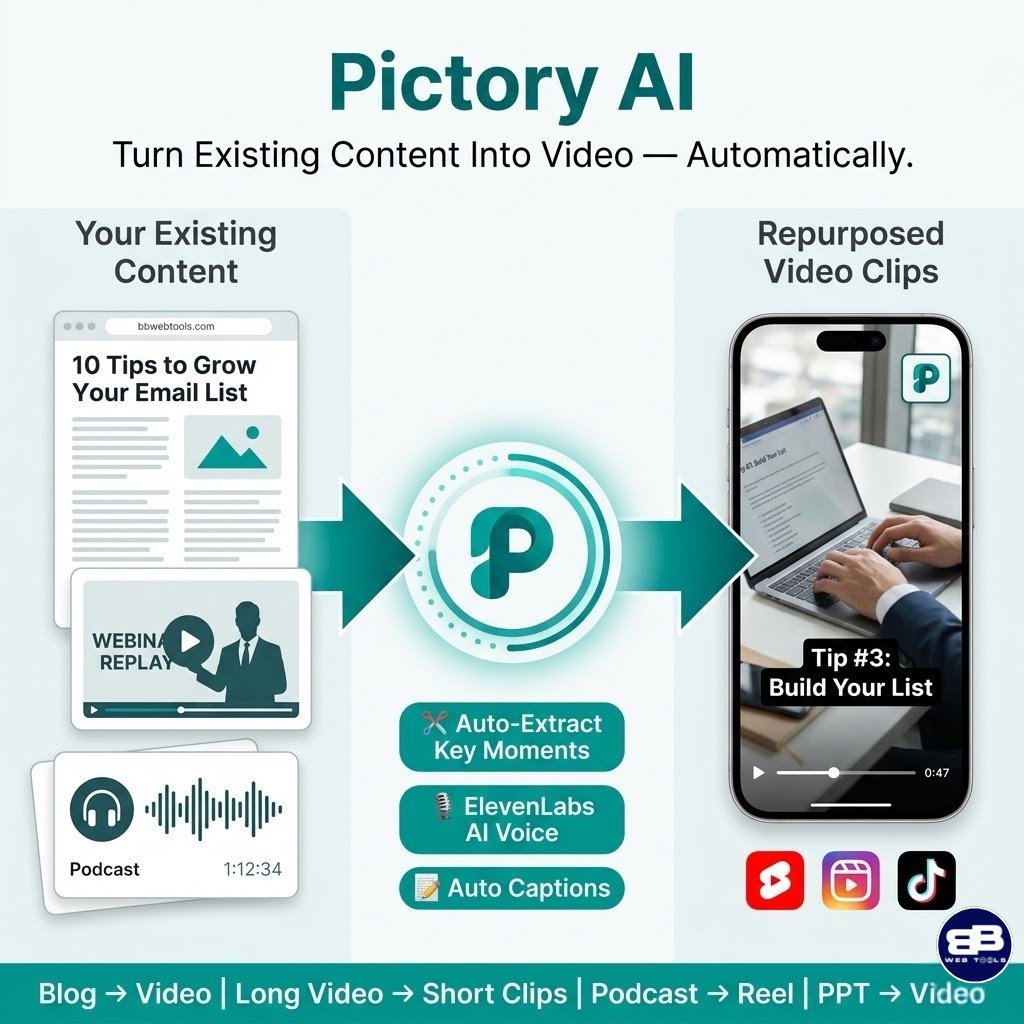
Pictory AI solves a specific and genuinely important problem for content publishers: the challenge of extending the reach of existing long-form content into video formats without rebuilding assets from scratch. If you publish detailed blog posts, host webinars, record podcasts, or produce long-form YouTube videos, Pictory gives you a structured pipeline to automatically repurpose all that content into shorter, shareable, captioned video clips.
I want to be direct about where Pictory fits relative to the other three tools in this review. It is not a general-purpose video creation tool like VideoExpress AI or InVideo AI. It is a content repurposing specialist. That distinction is important because it means Pictory excels at a specific set of tasks — and is clearly not the right choice if those tasks are not central to your workflow.
For content publishers like those running BBWebTools.com, where long-form expert articles are a core content format, Pictory’s blog-to-video pipeline represents a meaningful opportunity to increase per-article ROI.
Pictory AI Pricing Plans — Full Breakdown
Pictory operates on an annual subscription model, offering savings of up to 30% compared to monthly rates. There is no free plan, but a 14-day free trial lets you complete three full video projects before any charges.
Starter
$25/month billed annually
-
200 Video Minutes / mo
-
Storyblocks Library (5M+ Clips)
-
60 Min Even Labs AI Voices
-
1 Brand Kit
-
5 GB Storage
-
100 AI Credits to Generate Images, Videos, Avatars
Professional
$35/month billed annually
-
600 Video Minutes / mo
-
Getty + Storyblocks (18M+ Clips)
-
120 minutes of ElevenLab’s AI voices
-
5 Brand Kits
-
Auto Video Highlights
-
20 GB Storage
-
1000 AI Credits to Generate Images, Videos, Avatars
Teams
$119/month billed annually
-
1800 Video Minutes / mo
-
18 million videos from Getty Images and Clips
-
240 minutes of ElevenLab’s AI voices
-
10 Brand Kits
-
3+ Users
-
Collaboration Tools
-
Priority Support
-
2400 AI Credits to Generate Images, Videos, Avatars
Important plan notes:
- At the time of the writing, get up to 40% discount when purchase one year plan
- Video minutes refer specifically to exported video — you can preview and share within Pictory without using your allowance
- Monthly quotas reset on the 1st of each month; unused minutes do not roll over
- The free trial creates 3 video projects with up to 10 minutes of video each
- Pictory does not offer refunds on paid subscriptions — the trial is the only risk-free evaluation window
- ElevenLabs hyper-realistic AI voices are only available on the Professional and Teams plans; the Starter plan uses standard voices
- For full plans’ details and the latest deals and features visit Pictory AI website.
Key Features of Pictory AI
- Blog-to-Video — paste any article URL or text, and Pictory automatically generates a narrated video
- Script-to-Video — convert a written script into a fully assembled video with stock visuals and voiceover
- Video-to-Highlights — extract the best short clips from long-form videos for YouTube Shorts or social media
- PPT-to-Video — convert PowerPoint presentations into narrated video content
- AI Video Editor — edit existing video footage using text-based transcript editing
- Auto Captions & Transcription — AI-generated subtitles with multiple style options
- Brand Kit — logos, colours, and fonts applied consistently across all video output
- ElevenLabs AI Voices — hyper-realistic narration (Professional and Teams plans only)
- Automatic Silence Removal — strip filler words, pauses, and silences from video transcripts
- YouTube Mastery & Video Marketing Courses — free online courses included with annual Professional and Teams plans
Pictory AI Pros and Cons
✅ Pros:
- Best-in-class blog-to-video pipeline — genuinely the most polished content repurposing workflow in this comparison
- 14-day free trial with real project creation — a meaningful way to evaluate the tool before committing
- ElevenLabs voice integration on Professional plans produces the most natural-sounding AI narration of any tool reviewed here
- The Video-to-Highlights feature is uniquely valuable for long-form video creators wanting Shorts content
- Brand kit and bulk download features make it practically useful for teams and agencies
- YouTube Mastery course included with annual plans — genuine added value for channel growers
- Clean, focused interface with a gentle learning curve even for non-technical users
❌ Cons:
- No refund policy on paid subscriptions — a significant risk if the tool does not fit your workflow after the trial
- Relies entirely on stock footage — no original AI image generation capability
- No Consistent Character feature — cannot maintain character continuity across videos
- The Starter plan’s 200 video minutes per month is restrictive for prolific publishers; Professional is often necessary
- Pricing escalates quickly: $35/month (Professional, annual) rises to $59/month on monthly billing, and $119 (annual plan) –$199/month billed monthly for Teams
- G2 reviewers have criticised template variety as limited and slow to update compared to competitors
- Video lengths ideal for Pictory are under one minute — longer videos require more editing time and are less optimised by the platform’s workflow
- Pictory does not support AI image generation or text-to-original video creation — if your needs extend beyond repurposing, you will need additional tools
🎬 Pictory AI — YouTube Training Resource
For a step-by-step beginner’s guide covering Pictory’s four core creation modes — script-to-video, blog-to-video, video-to-highlights, and the AI video editor — Pictory’s official Academy at pictory.ai/academy provides structured walkthroughs. For a more informal tutorial covering the blog URL-to-video workflow and YouTube channel growth applications, watch: Pictory Tutorial: A Complete Beginner’s Guide , which includes embedded video and a practical walkthrough of the main creation pipelines.
⚡ Head-to-Head Feature Comparison
|
Feature |
Artistly AI |
VideoExpress AI |
InVideo AI |
Pictory AI |
|
AI Image Generation |
✅ Core feature (30+ tools) |
✅ Image-to-video pipeline |
⚠️ Limited generative |
❌ Stock only |
|
Text-to-Video |
❌ |
✅ Core feature |
✅ Core feature |
✅ Script/URL-based |
|
Content Repurposing |
❌ |
❌ |
⚠️ Partial |
✅ Specialised |
|
Consistent Character |
✅ (Premium) |
✅ (All-Access) |
❌ |
❌ |
|
AI Inpainting |
✅ Image (Premium) |
✅ Video (All-Access) |
❌ |
❌ |
|
Stock Media Library |
❌ |
❌ |
✅ 16M+ assets |
✅ 3M–18M+ assets |
|
Multilingual Voiceover |
✅ (VideoExpress linked) |
✅ 800+ voices |
✅ 50+ languages |
✅ ElevenLabs (Pro+) |
|
Team Collaboration |
❌ |
❌ |
✅ |
✅ |
|
Brand Kit |
⚠️ Partial |
⚠️ Partial |
✅ |
✅ |
|
Watermark-Free Output |
✅ All plans |
✅ All plans |
❌ Paid plans only |
❌ Paid plans only |
|
Free Plan / Trial |
❌ |
❌ |
✅ Free plan |
✅ 14-day trial |
|
One-Time Price Option |
✅ |
✅ |
❌ |
❌ |
|
KDP Book Cover Creator |
✅ |
❌ |
❌ |
❌ |
|
Talking/Singing Photos |
❌ |
✅ (All-Access) |
❌ |
❌ |
|
Blog-to-Video |
❌ |
❌ |
⚠️ Basic |
✅ Specialised |
|
Sora / VEO 3.1 Integration |
❌ |
❌ |
✅ (Generative plan) |
❌ |
|
Commercial Licence |
✅ |
✅ |
✅ (Paid plans) |
✅ (Paid plans) |
💰 True Cost Over Time: The Numbers Every Buyer Should See
Most AI tool reviews show first-year pricing. They do not show you what the decision actually costs over three years, which is the timeframe that matters for business tools you actually depend on.
|
Year 1 |
Year 2 |
Year 3 |
3-Year Total |
|
|
Artistly AI Basic ($49) |
$49 |
$0 |
$0 |
$49 |
|
Artistly AI Premium ($147) |
$147 |
$0 |
$0 |
$147 |
|
VideoExpress AI Basic ($49) |
$49 |
$0 |
$0 |
$49 |
|
VideoExpress AI All-Access ($179) |
$179 |
$0 |
$0 |
$179 |
|
Artistly Premium + VideoExpress All-Access |
$326 |
$0 |
$0 |
$326 |
|
InVideo AI Plus ($28/mo annual) |
$336 |
$336 |
$336 |
$1,008 |
|
InVideo AI Max ($50/mo annual) |
$600 |
$600 |
$600 |
$1,800 |
|
Pictory Starter ($25/mo annual) |
$300 |
$300 |
$300 |
$900 |
|
Pictory Professional ($35/mo annual) |
$420 |
$420 |
$420 |
$1,260 |
The data speaks plainly. The combined Artistly AI Premium and VideoExpress AI All-Access stack costs $326 over three years. The equivalent subscription tools — InVideo Max and Pictory Professional — cost $3,060 combined over the same period. It is a meaningful reinvestment in your business.
The counterargument — and it is a legitimate one — is that subscription tools continue to evolve and improve, and that the Sora 2 / VEO 3.1 integrations in InVideo or the expanding stock library in Pictory may justify the ongoing cost for certain workflows. But for the majority of solo creators, bloggers, and small business operators who read BBWebTools.com, the one-time pricing model is the most financially rational starting point.
🎯 Real-World Use Cases: Matching the Right Tool to Your Workflow
Choose Artistly AI if: You need a consistent supply of custom images for blog posts, social media, product marketing, e-commerce listings, or print-on-demand without paying a designer or subscribing to a stock image service. The unlimited generation model, the AI In-Painting capability, and the commercial licence make it particularly well-suited for content-heavy operations. If you also run an Amazon KDP business or create digital products, the storybook creator and book cover generator are standalone justifications for the Premium plan.
Choose VideoExpress AI if: You produce video content for YouTube, social media, or marketing campaigns and want genuine AI-generated video — not stock footage compilations. The Talking Photos feature makes it exceptionally powerful for faceless YouTube channels, and the native Artistly integration means your creative pipeline from concept to published video can be managed within a single ecosystem. If you are already on Artistly AI, VideoExpress is the natural and most cost-effective next step.
Choose InVideo AI if: You are managing a content agency, serving multiple client accounts, or need to produce a high volume of stock-based social video content rapidly. The 16M+ media library, the multilingual voiceover support, and the Sora 2 / VEO 3.1 generative integration make InVideo the most technically advanced option in this comparison for pure video production at scale. The free plan also makes it the only tool here you can evaluate properly without spending a dollar.
Choose Pictory AI if: Your primary content format is long-form — blog posts, webinar recordings, podcasts, or detailed YouTube videos — and you want a structured pipeline to transform that content into short-form video assets for distribution on YouTube Shorts, Instagram Reels, TikTok, or LinkedIn. Pictory does this specific job better than any other tool in this comparison. Its blog-to-video and video-to-highlights features are category-leading, and the ElevenLabs voice integration on Professional plans produces the most natural AI narration I have encountered at this price point.
Affiliate Marketing Potential: A Realistic Assessment
For content creators and affiliate marketers who are considering promoting these tools to their audiences, here is an honest breakdown of each programme’s structure and realistic earning potential.
| Artistly AI | VideoExpress AI | InVideo AI | Pictory AI | |
|---|---|---|---|---|
| Platform | JVZoo | JVZoo | TapAffiliate | FirstPromoter |
| Commission Type | Per-sale, one-time | Per-sale, one-time | Up to 50% first payment | 20–50% recurring (tiered) |
| Cookie Duration | JVZoo standard (30 days) | JVZoo standard (30 days) | 120 days | 9,999 days (effectively lifetime) |
| Recurring Income | ❌ | ❌ | ❌ | ✅ Every renewal payment |
| Conversion Angle | Lifetime value vs subscriptions | Video production at a lifetime price | Free plan entry + upgrade | Content repurposing efficiency |
| Best Content Type | Value/budget comparison articles | Video tutorial and review content | Agency and high-volume creators | Blog and content repurposing audiences |
| 3-Year Earning Potential (100 referrals) | $49 × 30% × 100 ≈ $1,470 one-time | $179 × 30% × 100 ≈ $5,370 one-time | $28 × 50% × 100 × 1 mo ≈ $1,400 | $25 × 30% × 100 × 36 mo ≈ $27,000 |
Pictory AI’s recurring commission structure makes it the highest long-term passive income opportunity for content affiliates — particularly for audiences that convert to annual plans and retain them. However, conversion rates for recurring subscription tools are typically lower than for one-time deals, because the buyer’s perceived risk is higher. Artistly AI and VideoExpress AI tend to convert well from comparison articles precisely because the one-time pricing eliminates subscription anxiety.
The most effective affiliate strategy for BBWebTools.com readers is to promote all four tools contextually — the one-time tools via pricing comparison content and the subscription tools via workflow and use-case guides — rather than picking one and ignoring the others. You can register for the respective programmes at: Artistly AI affiliate page, InVideo AI affiliate programme, and Pictory AI partner programme.
Related Reading on BBWebTools.com
If this comparison sparked questions about how AI tools fit into your broader digital marketing strategy, these articles from BBWebTools.com will give you a useful broader context:
- Claude vs Gemini 2026: Which AI Tool Wins for Coding, SEO & Content? — After 90 days of real-world testing across all four of my businesses, here is which AI assistant actually delivers ROI
- ChatGPT 5.2 vs Claude Sonnet 4.5: Which AI Writes Better? — A direct head-to-head comparison on content quality, coding, and SEO writing
- The AI Marketing Flywheel: How I Use ChatGPT for Marketing to Power My 4 Online Businesses — The complete system I use to integrate AI into every stage of content production and distribution
- How to Create Professional Videos with Camtasia’s AI Features — If you want to blend AI-generated content with traditional screen-recording workflows, Camtasia’s AI features are worth exploring
Conclusion: Which Is the Best AI Image and Video Generator in 2026? ✅
After evaluating all four tools across verified user data, real workflow testing, pricing structures, generation limits, and affiliate opportunities, here is my honest verdict.
Artistly AI and VideoExpress AI together form the strongest overall value proposition in this comparison for the majority of digital creators. You pay $326 combined for lifetime access to a complete image-and-video production ecosystem. There are no monthly fees, no watermarks, no credit anxiety, and no risk of pricing changes affecting your budget next year. The native integration between the two platforms creates a cohesive creative workflow that is genuinely efficient to operate. For bloggers, content marketers, and e-commerce operators who need a steady supply of original visual content, this combination is my first recommendation.
InVideo AI is the right choice if scale, depth of stock media, and team collaboration are your priorities. The integration of Sora 2 and VEO 3.1 makes it the most technically capable option here for generative video quality on the higher-tier plans, and the free entry point makes it the lowest-friction tool to evaluate. Just go in with clear eyes about the credit system — budget carefully and avoid unnecessary regenerations.
Pictory AI is the specialist’s choice for content repurposing. If you publish long-form content regularly and want a structured, reliable pipeline for converting that content into short-form video, Pictory does it better than anything else in this review. The ElevenLabs voice quality on Professional plans is genuinely excellent, and the blog-to-video workflow is as close to fully automated as I have found in this category.
My recommendation to most readers of BBWebTools.com: start with Artistly AI and VideoExpress AI. Get your creative pipeline running on a one-time investment. Then, as your content operation grows and your repurposing or stock media needs evolve, evaluate Pictory AI or InVideo AI as targeted additions to your stack—not replacements. That sequencing maximises value, minimises monthly overhead, and keeps your options open as the AI content creation landscape continues to evolve rapidly.
❓ Frequently Asked Questions — Top 10 Most Searched Questions
What is the best AI image and video generator with no monthly fee in 2025?
VideoExpress AI and Artistly AI are the clear answers here. Both operate on a one-time pricing model — you pay once and own the tool forever with no recurring subscription. VideoExpress AI starts at $49 for the Basic plan and $179 for the All-Access tier. Artistly AI starts at $49 for the Commercial plan and $147 for the Premium plan. Both include a commercial licence, watermark-free output, and ongoing feature updates at no additional charge.
Is Artistly AI worth buying in 2025?
Yes, for the right use case. Artistly AI has a 4.8 out of 5 rating from nearly 500 verified Capterra reviewers, and its one-time pricing model makes it an exceptional value for any creator who needs a consistent supply of custom AI images. The 30+ tools in a single platform, unlimited generation under a 400-images-per-day fair use policy, and native integration with VideoExpress AI are the primary reasons to buy. The main limitation is the lack of a free trial, which means you are relying on the 30-day refund guarantee as your risk protection.
How does InVideo AI’s credit system work?
InVideo AI allocates a monthly number of AI generation minutes based on your plan tier — 10 minutes per week on the free plan, 50 minutes per month on Plus, 200 minutes on Max, and 15 minutes of generative credits on the Generative plan. Each video generation consumes credits based on the length and complexity of the output. Critically, every regeneration attempt — including those required to fix platform errors — also consumes credits. This is the most commonly cited frustration in verified user reviews and should be factored into any cost calculation.
What is the difference between Pictory AI Starter and Professional?
The primary differences are voice quality, media library access, and video output volume. The Starter plan provides 200 video minutes per month, 34 standard AI voices, and the Storyblocks library (2M+ clips). The Professional plan provides 600 video minutes, 51 hyper-realistic ElevenLabs voices, the combined Getty + Storyblocks library (12M+ clips), the auto video highlights feature, and 5 brand kits. For most professional creators, the Professional plan is where Pictory’s capabilities genuinely justify the subscription cost.
Can I use AI-generated images and videos for commercial purposes?
Yes, for all four tools reviewed here. Artistly AI, VideoExpress AI, InVideo AI, and Pictory AI all include commercial usage rights on their paid plans. Artistly AI and VideoExpress AI include commercial rights at every tier, including the $49 entry plan. InVideo AI and Pictory AI include commercial rights on paid plans but not on free tiers. Always review the specific terms of service for client work and large-scale commercial campaigns, particularly regarding stock assets included via third-party libraries.
What are the generation limits for VideoExpress AI?
The Basic plan ($49) allows 3,000 fully rendered AI video clips per month, while the All-Access plan ($179) allows 6,000. These limits apply only to finalised renders using the “AI Prompt to Video” or “AI Image to Video” features. You can perform unlimited previews before rendering without consuming your monthly allowance. The Timeline Video Editor for assembling clips into complete videos up to 5 minutes each is unlimited on both plans.
Does InVideo AI offer a refund if I am not satisfied?
InVideo AI’s refund policy is plan-dependent and has been a source of complaint in user reviews. Some verified reviewers report being denied refunds even after creating unusable videos, as the policy considers any video creation to constitute usage. Unlike the 30-day money-back guarantees offered by Artistly AI and VideoExpress AI, InVideo’s refund terms are more restrictive. The free plan is the best way to evaluate InVideo AI before committing financially.
Which AI video generator is best for faceless YouTube channels?
VideoExpress AI’s Talking Photos feature (All-Access plan) is the most purpose-built option for faceless YouTube content in this comparison. It allows you to animate any portrait image into a speaking or singing character with realistic lip-sync, eliminating the need to appear on camera entirely. For channels that want narrated, stock-visual content, InVideo AI produces fast results with its large media library. For repurposing existing blog content into YouTube videos, Pictory AI is the most efficient pipeline.
Is Pictory AI suitable for beginners?
Yes, Pictory AI is one of the most beginner-friendly tools in this comparison. The interface is clean and guided, the core workflow is logical (paste text → select template → generate video), and the learning curve is minimal compared to tools requiring prompt engineering or video editing knowledge. The 14-day free trial allows three complete video projects, which is sufficient to evaluate whether the tool fits your workflow before committing to a paid plan.
What is the most profitable AI video tool to promote as an affiliate?
Pictory AI offers the most attractive long-term affiliate income through its recurring commission structure — up to 50% per renewal for top-tier affiliates, with effectively lifetime cookie tracking (9,999 days). For content publishers with an audience that converts to annual plans and retains them, the compounding income over time can be substantial. InVideo AI offers up to 50% on the first monthly payment with a 120-day cookie window, which is better for short-term conversion incentives. Artistly AI and VideoExpress AI convert well on value-focused content (lifetime vs subscription comparisons) and offer per-sale commissions via JVZoo.
📚 Resources & Further Reading
- G2 — Best AI Video Generation Software Reviews (2025) — https://www.g2.com/categories/ai-video-generation — Independent community-verified reviews and category rankings across the full AI video generation landscape, updated continuously by verified purchasers.
- Capterra — VideoExpress AI User Reviews — https://www.capterra.com/p/10019949/VideoExpress/ — 5,694 verified reviews providing granular ratings across feature quality, value for money, customer support, and ease of use for VideoExpress AI.
- Tekpon — InVideo AI & Pictory AI Pricing Deep Dives — https://tekpon.com/software/invideo/pricing/ and https://tekpon.com/software/pictory/pricing/ — Independently verified pricing breakdowns for both subscription tools, including plan feature comparisons and cost analysis, updated regularly by Tekpon’s research team.
About the Author
With over 30 years of hands-on experience in digital marketing and analytics, I have built and operated four online businesses across e-commerce, affiliate marketing, and content publishing.
I test every tool reviewed on this site in real business workflows — not vendor-provided sandboxes or simulated scenarios. My evaluations draw on decades of experience across content strategy, paid media, affiliate monetisation, conversion rate optimisation, and platform management. When I recommend a tool on BBWebTools.com, I have verified that it delivers genuine, measurable value in a live, commercial environment.
Disclosure: This article contains affiliate links. If you purchase a product through one of the links above, I may earn a commission at no additional cost to you. This does not influence my editorial opinions — I only recommend tools I have personally evaluated and found genuinely useful for real business applications.
Contact Us
Do you have any questions? Contact us by clicking the button below.



[…] up repeatedly in my community feeds — and when I noticed it kept coming up in my own AI video tools comparison — Artistly.ai vs VideoExpress.ai vs Pictory.ai vs InVideo AI — I decided it deserved a full, unflinching […]
[…] at scale without the subscription fees that make tools like Pictory.ai and InVideo AI costly. In my full AI video tools comparison covering VideoExpress.ai, Artistly.ai, Pictory.ai, and InVideo AI, VideoExpress.ai emerged as […]