📖 Quick Read Summary
Reading Time: 18 minutes | Word Count: 6,950 words
What You’ll Discover:
- ✨ 35+ Google AI tools available right now (free and paid)
- 🎯 Which tools are completely free to access today
- 💼 How each tool helps businesses and marketers grow
- 📊 Simple comparison tables showing Google AI vs competitors
- 🚀 Step-by-step access guide for beginners
- 💰 Clear pricing breakdown for every tool tier
Perfect For:
👉 Small business owners exploring AI for the first time
👉 Digital marketers wanting to boost productivity
👉 Entrepreneurs looking to automate workflows
👉 Anyone curious about Google’s AI ecosystem
Automate Content Creation is my pick for a practical plan to cut research and production time for code-heavy posts without losing accuracy.
I’ll define scope and show how the right mix of strategy and tools maps to the writing process. You’ll see a clear plan from keyword discovery to publishing and iteration for each blog post.
I use industry data to set expectations: 98% of marketers rate automation as very or extremely important, first-time users see about 20% more productivity, and ROI often hits $6.66 per $1 invested. I’ll explain partial versus full automation and when you must keep a human in the loop for code validity and citations.
Quick personal tip: batch outlines for how-to and troubleshooting posts, then verify every code snippet before publishing to scale reliably.
Disclosure: BBWebTools.com is a free online platform that provides valuable content and comparison services. As an Amazon Associate, we earn from qualifying purchases. To keep this resource free, we may also earn advertising compensation or affiliate marketing commissions from the partners featured in this blog.
🎯 Key Takeaways
Google offers over 35 AI-powered tools—many completely free—that can transform how you work, create content, analyze data, and grow your business. This guide shows you exactly what’s available and how to access each tool today.
🌟 Google AI Tools: The AI Revolution is Here (And It’s From Google)
Remember when “Googling something” became a verb? Well, we’re living through another defining moment. Google isn’t just a search engine anymore—it’s become an AI powerhouse that’s quietly revolutionizing how we work, create, and solve problems.
Here’s something that might surprise you: You’re probably already using Google AI without even realizing it. 🤯
Every time Gmail suggests a response, Google Photos organizes your pictures, or Google Maps predicts your arrival time—that’s AI working behind the scenes. But in 2026, Google has pulled back the curtain and given us direct access to dozens of incredible AI tools that can transform your business.
Why This Matters for You
Whether you’re running an online store, managing a blog, growing a YouTube channel, or simply trying to work smarter, Google’s AI tools can become your secret weapon. The best part? Many of these tools are completely free, and you don’t need a computer science degree to use them.
Think of this guide as your friendly roadmap through Google’s AI universe. I’ll walk you through each tool, explain what it does in plain English, show you how to access it, and help you decide which ones are worth your time.
What Makes Google AI Different?
Unlike other AI companies that focus on a single task, Google has built an entire ecosystem. It’s like having a Swiss Army knife instead of just a regular knife. Their AI tools work together seamlessly, and because they’re integrated with products you already use (Gmail, Docs, Sheets, YouTube), the learning curve is surprisingly gentle.
By the end of this guide, you’ll know exactly which Google AI tools can help your specific situation—and you’ll have direct links to start using them today.
Let’s dive in! 🚀
🧠 Understanding Google’s AI Ecosystem: The Big Picture
Before we explore individual tools, let’s quickly understand how Google’s AI world works. Don’t worry—I’ll keep this simple!
The Foundation: Meet Gemini
Gemini is Google’s AI brain—think of it as the engine that powers most of these tools. Just like a car engine powers different features (radio, air conditioning, windshield wipers), Gemini powers Google’s AI features across various products.
There are different “sizes” of Gemini:
- 🏃 Gemini Flash – Fast and efficient (free tier)
- 💪 Gemini Pro – More powerful (paid tier)
- 🚀 Gemini Ultra – Most advanced (premium tier)
You don’t need to understand the technical differences—just know that Google uses the appropriate version for each tool based on its requirements.
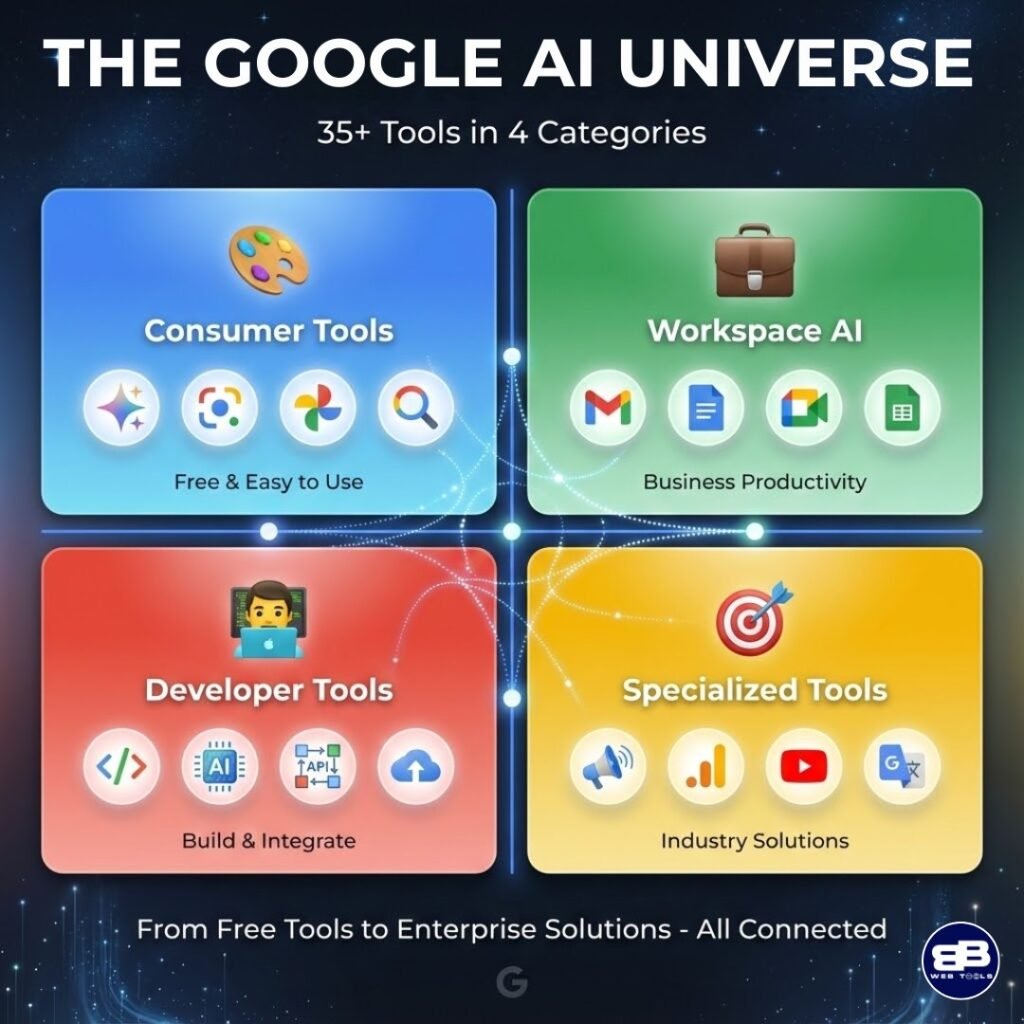
Four Categories of Google AI Tools
I’ve organized Google’s 35+ AI tools into four simple categories:
|
Category |
What It Means |
Who It’s For |
Cost |
|
🎨 Consumer Tools |
Easy-to-use AI for everyday tasks |
Everyone |
Mostly Free |
|
💼 Workspace AI |
AI built into Gmail, Docs, Sheets |
Businesses & Teams |
Free to Premium |
|
👨💻 Developer Tools |
AI for building apps & websites |
Tech-savvy users |
Free to Pay-as-you-go |
|
🎯 Specialized Tools |
AI for specific tasks (ads, analytics, translation) |
Marketers & Specialists |
Varies |
Pro Tip: Start with Consumer Tools if you’re new to AI. They’re designed to be super intuitive and require zero technical knowledge! 💡
Why Google AI Works So Well
Here’s the key insight: Google has been using AI longer than almost anyone else. They’ve been using it to improve Search, Gmail, and Maps for years. Now they’re simply giving you direct access to that same technology.
Plus, everything connects. Use Gemini to write an article? Save it in Google Docs. Need to analyze data? Pull it into Sheets. Want to create a presentation? Send it to Slides. It all works together like a well-oiled machine.
Ready to explore the actual tools? Let’s start with the ones anyone can use today—no special accounts or payment required! 🎉
🎨 Consumer-Facing Google AI Tools: Available to Everyone
These are the AI tools you can start using right now, often without paying a cent. Perfect for beginners!
https://youtu.be/eC8yTpwkCnw?si=Qt8aZHiKLRivh5zO
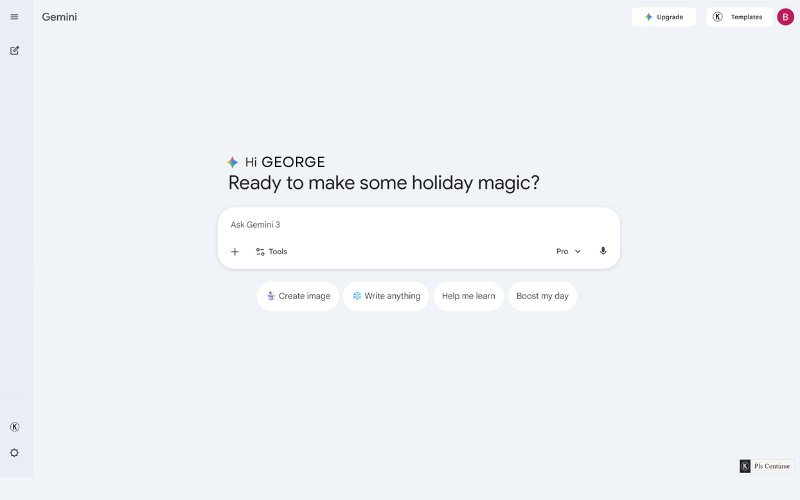
1. 💬 Google Gemini (Your AI Conversation Partner)
What it is: Think of Gemini as your incredibly smart assistant who can write, research, code, analyze images, and answer questions about virtually anything.
Why you’ll love it:
- 🎯 Have a conversation just like texting a friend
- 📸 Upload images and ask questions about them
- 🔗 Connect to your Gmail, Docs, and Maps for personalized help
- ✍️ Generate content, brainstorm ideas, or solve problems
- 💾 Save and continue conversations later
How to use it: Imagine you’re writing a blog post about healthy smoothies. You can ask Gemini: “Give me 10 creative smoothie recipe ideas that include spinach but don’t taste like vegetables.” Seconds later, you’ve got creative ideas with explanations!
Free Access: ✅ Yes! Visit gemini.google.com with any Google account.
Paid Version: Gemini Advanced ($19.99/month) – More powerful, longer conversations, priority access
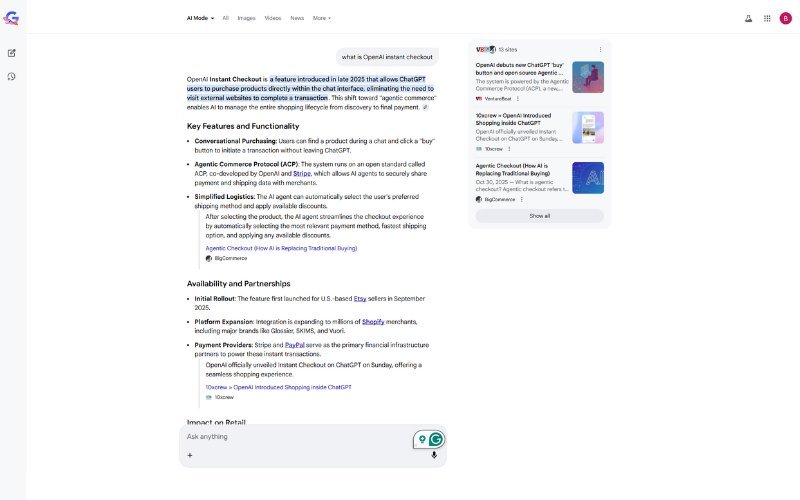
2. 🔍 Google Search AI Overview (Smart Search Results)
What it is: When you search Google, you now get AI-generated summaries at the top that answer your question directly, pulling information from multiple sources.
Why it matters:
- ⚡ Get instant answers without clicking through 10 websites
- 📚 See information synthesized from multiple trusted sources
- 🎯 Save time on research and fact-checking
- 🔗 Still see source links if you want to dig deeper
Real-world example: Search for “how to start a podcast in 2026” and Google AI will give you a complete overview with steps, equipment recommendations, and tips—all before showing regular search results.
Free Access: ✅ Yes! Automatic in Google Search (search.google.com)
Surfer ties keyword discovery to drafting so I can focus on accurate code and clear explanations. It reduces guesswork by turning SERP signals into a practical outline and coverage map for each post.
Why it’s great for technical bloggers
Surfer keeps structure, readability, and entity coverage in one place. The Content Editor nudges me on headings, length, and on-page seo while I validate code samples.
Notable features
- Keyword Research with clustering to spot related keywords and user intent.
- Content Editor plus Auto-Optimize and Coverage Booster for missing topics and entities.
- Rank Tracker and reports to prioritize updates and measure impact.
- Internal linking suggestions, AI Humanizer (Surfy) for repurposing, and GSC/Zapier integrations for audits and workflows.
Pricing snapshot and when the investment pays off
Surfer starts to pay when you publish and iterate regularly—roughly 4–8 posts per month. The biggest gains come from faster briefs, fewer revision cycles, and prioritized audits.
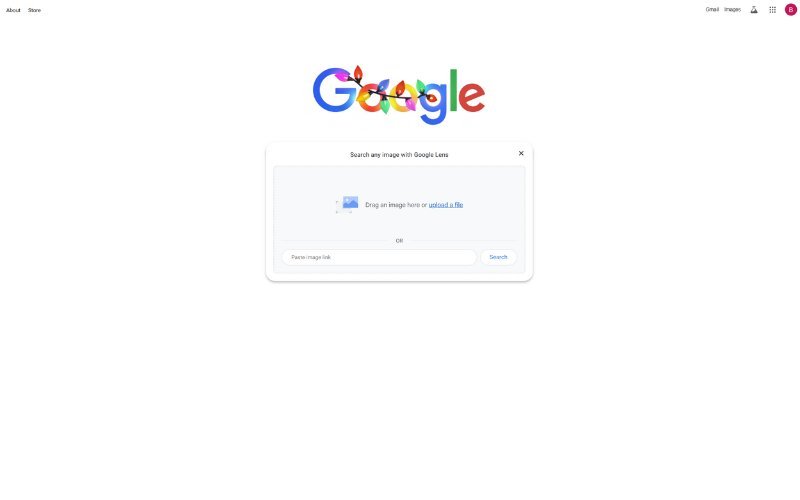
3. 📷 Google Lens AI (Your Visual Search Companion)
What it is: Point your camera (or upload an image) and Google tells you what you’re looking at—then helps you take action.
Amazing uses:
- 🛍️ See a product you like? Lens finds where to buy it
- 🌍 Translate text in real-time (signs, menus, documents)
- 🏠 Identify plants, animals, landmarks, or objects
- 📖 Copy text from the real world into digital format
- 🔧 Identify tools, parts, or items when you don’t know the name
Story time: Imagine you’re at a home improvement store, staring at a shelf of screws. Which size do you need? Just snap a photo of your project, and Lens can help identify the right parts!
Free Access: ✅ Yes! Built into Google Photos app, Google app, or lens.google.com
4. 📸 Google Photos AI Magic (Smart Photo Management)
What it is: Your photos app got a brain! Google Photos now uses AI to organize, enhance, and even edit your pictures automatically.
Cool AI features:
- ✨ Magic Editor – Remove unwanted objects, adjust lighting, move elements
- 🎭 Best Take – Combine multiple shots so everyone looks their best
- 🔍 Smart Search – Find photos by describing them (“show me beach photos with my dog”)
- 🎨 Auto Enhancements – AI improves colors and lighting automatically
- 📅 Memory Movies – Creates highlight videos from your trips
Why non-photographers love it: No editing skills needed. The AI does the heavy lifting while you just tap “yes” or “no” to suggestions!
Free Access: ✅ Yes! 15GB free storage with every Google account (photos.google.com)
Paid Version: Google One plans for more storage ($1.99/month for 100GB)
5. 🗣️ Google Assistant with Gemini Power
What it is: Your voice-activated helper just got way smarter by tapping into Gemini’s AI capabilities.
What’s new with AI:
- 💬 Have natural, flowing conversations (not robotic commands)
- 🧠 Understand context from previous questions
- 🏠 Control smart home devices more intelligently
- 📱 Perform complex tasks across multiple apps
- ✍️ Compose messages and emails with a better understanding
Daily use example: “Hey Google, I need to leave for my dentist appointment by 3 PM. What time should I leave home, considering current traffic, and remind me 15 minutes before?”
Free Access: ✅ Yes! Pre-installed on Android phones, available on iOS via the Google app
6. 🎵 YouTube AI Features (For Creators & Viewers)
What it is: YouTube now uses AI to help creators make better content and help viewers find what they want.
For Content Creators:
- 📝 AI-generated video descriptions
- ⏱️ Automatic chapter markers
- 🖼️ Thumbnail recommendations
- 🎬 Content insights and suggestions
For Viewers:
- 🎯 Hyper-personalized recommendations
- 📄 Video summaries and key moments
- 🔍 Search within videos using AI
Free Access: ✅ Yes! Built into YouTube (youtube.com)
Subscribe to our news letters

- Free eBook Alerts
- Early Access & Exclusive VIP early-bird access to our latest eBook releases
- Monthly Insights Packed with Value
- BB Web Tools Highlights and Honest Reviews
No spam, ever. Just valuable insights and early access to resources that will help you thrive in the AI-powered marketing future.
🆚 Quick Comparison: Google Consumer AI vs Others
|
Feature |
Google AI |
ChatGPT Free |
Microsoft Copilot |
Claude |
|
Multimodal (text + images) |
✅ Yes |
Limited |
✅ Yes |
✅ Yes |
|
Internet Access |
✅ Real-time |
❌ No |
✅ Yes |
Limited |
|
Integration with Apps |
✅ Gmail, Docs, Photos |
❌ Limited |
✅ Office apps |
❌ API only |
|
Free Tier Generosity |
⭐⭐⭐⭐⭐ |
⭐⭐⭐ |
⭐⭐⭐⭐ |
⭐⭐⭐ |
|
Best For |
Google ecosystem users |
General chat |
Microsoft users |
Privacy-focused |
Verdict: If you already use Google products (and who doesn’t?), Google AI tools offer the smoothest, most integrated experience. 🏆
💼 Google Workspace AI Tools: Supercharge Your Productivity
https://youtu.be/igs5bw5P47s?si=DS-tYKawBvG-MOAU
Here’s where things get really exciting for business owners and professionals. Google Workspace (Gmail, Docs, Sheets, Slides, Meet) now has AI built directly into every app.
Important Note: Some features require a paid Workspace plan, but many are also available on free Gmail accounts.
7. ✉️ Gmail – “Help Me Write” & Smart Features
What it does: Gmail’s AI can now write entire emails for you, suggest responses, and help you stay organized.
AI-powered features:
- ✍️ Help Me Write – Describe what you want to say, AI writes the email
- 🎨 Tone Adjustment – Make emails more formal or casual with one click
- ⚡ Smart Reply – Quick one-tap responses
- 📋 Email Summaries – Get the gist of long email threads
- 🏷️ Smart Categorization – AI organizes your inbox automatically
Real scenario: You need to write a professional follow-up email after a meeting. Just type: “Write a follow-up email thanking Sarah for the meeting and confirming next steps for the project.” Gmail’s AI crafts a perfect email in seconds!
Access: Free Gmail users get basic features; Workspace users get advanced AI
For other productivity tips and tools, read 👉Automate Content Creation: Top 5 AI Tools for Technical Bloggers
8. 📝 Google Docs – Your AI Writing Partner
What it does: Docs now has an AI assistant that helps you write, edit, and format documents effortlessly.
AI magic in Docs:
- 💡 Writing Suggestions – AI completes your sentences intelligently
- 📄 Document Generation – Create outlines, summaries, or full drafts
- 🔍 Research Integration – Pull in relevant information while writing
- ✏️ Grammar & Style – Advanced suggestions beyond simple spell-check
- 🎯 Tone Detector – Ensure your writing matches your intent
Practical use: Starting a blog post? Type your topic, click “Help me write,” and watch AI create a solid first draft you can edit and personalize.
Access: Available in free Google Docs with limitations; full features in Workspace
9. 📊 Google Sheets – AI-Powered Data Analysis
What it does: Sheets uses AI to help you make sense of your data, even if you’re not a spreadsheet wizard.
AI features:
- 🧮 Formula Suggestions – AI writes complex formulas for you
- 📈 Smart Insights – Automatically spots trends and patterns
- 🎨 Auto Charts – AI creates beautiful visualizations
- 🔮 Predictive Analytics – Forecast trends based on your data
- 💬 Natural Language Queries – Ask questions about your data in plain English
Game-changer example: Upload your sales data, then ask: “What’s my best-selling product category this quarter?” AI analyzes and visualizes the answer instantly.
Access: Basic features free; advanced AI in Workspace plans
10. 🎨 Google Slides – AI Design Assistant
What it does: Creating presentations just got easier. AI supports design, layout, and content creation.
AI helps with:
- 🖼️ Layout Suggestions – AI recommends professional designs
- 🎭 Auto-formatting – Keeps slides consistent automatically
- 🖌️ Image Recommendations – Suggests relevant visuals
- ✍️ Speaker Notes – AI generates talking points
- 🎬 Animation Ideas – Smart transition suggestions
Time-saver: Need a pitch deck fast? Give AI your bullet points, and it’ll create a polished presentation with professional layouts and design.
Access: Available in free Slides; enhanced in Workspace
11. 👥 Google Meet – Smart Video Meetings
What it does: Virtual meetings enhanced with AI for better quality, accessibility, and productivity.
AI superpowers:
- 📝 Live Transcription – Real-time captions and meeting notes
- 🌍 Translated Captions – Understand meetings in different languages
- 🎙️ Noise Cancellation – AI removes background sounds
- 💡 Studio Lighting – AI adjusts your video lighting automatically
- 📄 Meeting Summaries – Get action items and highlights after meetings
Why it matters: Never miss important details again. AI captures everything so you can focus on the conversation rather than frantic note-taking.
Access: Basic features free; advanced AI in Workspace plans
12. 💬 Google Chat – Smarter Team Communication
What it does: Team messaging with AI that helps you communicate better and stay organized.
AI features:
- 📋 Conversation Summaries – Catch up on what you missed
- ⚡ Smart Replies – Quick, contextual responses
- 📌 Task Extraction – AI identifies and creates tasks from chats
- 🔍 Smart Search – Find information across all conversations
Access: Included with Google Workspace accounts
13. 📁 Google Drive – Intelligent File Management
What it does: Your cloud storage now has AI to help you find, organize, and manage files effortlessly.
AI organization:
- 🔍 Smart Search – Find files by describing content, not just names
- 🏷️ Auto Categorization – AI sorts files into logical groups
- 🔄 Duplicate Detection – Finds and suggests removing duplicate files
- 📊 Usage Insights – See what files you access most
Access: Available to all Google Drive users (drive.google.com)
💰 Workspace AI Pricing Quick Reference
|
Plan |
Price/User/Month |
AI Features Included |
|
Free Gmail |
$0 |
Basic Smart Reply, Smart Compose |
|
Business Starter |
$6 |
Limited AI features, basic “Help me write.” |
|
Business Standard |
$12 |
Full AI features in Gmail, Docs, Sheets, Slides |
|
Business Plus |
$18 |
Everything + advanced Meet features |
|
Enterprise |
Custom |
All AI features + priority support |
My recommendation: Start with the free version to test AI features. Upgrade to Business Standard if you need full AI capabilities across all apps. 💡
👨💻 Developer & Technical AI Tools: Build Smarter Apps
https://youtu.be/a8NtWQbQI4E?si=AoZLU2V4gMATsX7r
These tools are for folks who want to build things with AI—whether you’re developing an app, creating a website, or just exploring code.
Don’t worry if you’re not technical—I’ll explain what each tool does without the jargon!
14. 🛠️ Google AI Studio
What it is: A playground where you can experiment with Google’s AI models without writing complex code.
What you can do:
- 🧪 Test different AI prompts and see results instantly
- 🎨 Try text, image, and code generation
- ⚙️ Adjust AI settings with simple sliders
- 💾 Save and share your AI experiments
Who it’s for: Beginners learning AI, or developers prototyping ideas quickly
Free Access: ✅ Yes! Limited API calls free per month (aistudio.google.com)
15. ☁️ Vertex AI
What it is: Google’s professional AI platform for building, training, and deploying AI models at scale.
Best for: Businesses that need custom AI solutions tailored to their specific needs
Access: Pay-as-you-go pricing (cloud.google.com/vertex-ai)
16. 🧠 Google Cloud AI Platform
What it is: Pre-built AI capabilities you can plug into your apps without being an AI expert.
Includes tools for:
- Vision (image analysis)
- Natural Language (text understanding)
- Translation
- Speech recognition
Access: Pay based on usage
17. 🔧 TensorFlow
What it is: Google’s free, open-source framework for building machine learning models.
The cool part: It’s completely free and used by millions of developers worldwide!
Free Access: ✅ Yes! Completely open-source (tensorflow.org)
18. 🔌 Gemini API
What it is: Connect Gemini’s AI directly to your own apps, websites, or services.
What developers use it for:
- Adding chatbots to websites
- Creating AI-powered features in apps
- Automating business processes
Access: Free tier available with rate limits; paid for higher usage
19. 📱 Firebase ML
What it is: AI features specifically designed for mobile apps (Android & iOS).
Access: Free tier available; scales with usage
20. 📓 NotebookLM
What it is: An AI research assistant that helps you understand documents, take notes, and synthesize information.
Why it’s special: Upload your own documents, and NotebookLM becomes an expert on YOUR content specifically!
Perfect for:
- 📚 Students researching papers
- 💼 Professionals analyzing reports
- ✍️ Writers organizing research
- 🎓 Anyone learning new topics
Free Access: ✅ Yes! Currently free (notebooklm.google.com)
21. 💻 Google Colab AI Features
What it is: A free cloud-based coding environment with AI assistance built in.
AI helps with:
- Code completion
- Bug detection
- Debugging suggestions
Free Access: ✅ Yes! Free tier available (colab.research.google.com)
🆚 Developer Tools Comparison
|
Platform |
Google AI |
OpenAI API |
AWS AI |
Azure AI |
|
Ease of Use |
⭐⭐⭐⭐ |
⭐⭐⭐⭐ |
⭐⭐⭐ |
⭐⭐⭐ |
|
Free Tier |
Generous |
Limited |
Limited |
Limited |
|
Documentation |
Excellent |
Excellent |
Good |
Good |
|
Integration |
Google Cloud |
Standalone |
AWS |
Microsoft |
|
Best For |
Google users |
Startups |
Enterprise |
Microsoft users |
🎯 Specialized Google AI Tools: For Specific Needs
https://youtu.be/da_CbVz3uMk?si=CZNVWJEJ09bBonjp
These AI tools are designed for particular tasks—perfect when you need something specific!
22. 📱 Google Ads AI
What it does: AI-powered advertising that helps you reach the right customers without the guesswork.
AI features:
- 🎯 Performance Max – AI automatically optimizes your ad campaigns
- 📝 Responsive Ads – AI creates ad variations and tests them
- 💰 Smart Bidding – AI adjusts bids to maximize results
- 📊 Audience Insights – AI finds your best potential customers
Why business owners love it: Set your budget and goals, let AI handle the complex optimization. It’s like having a marketing team working 24/7!
Access: Free to use (you pay for actual ads); available at ads.google.com
23. 📈 Google Analytics 4 AI Insights
What it does: Understand your website visitors better with AI-powered analytics.
AI features:
- 🔮 Predictive Metrics – See which customers are likely to convert
- 🚨 Anomaly Detection – AI alerts you to unusual patterns
- 💡 Automated Insights – AI highlights important trends you might miss
- 📊 Smart Segmentation – AI groups similar users automatically
Perfect for: Anyone running a website, blog, or online store who wants to understand what’s working
Access: Free for most websites (analytics.google.com)
Screenshot Recommendation: Show the Insights panel with AI-detected trends
24. 🌍 Google Cloud Translation AI
What it does: Translate text, documents, or entire websites with AI-powered accuracy.
Key features:
- 🌐 Supports 100+ languages
- 📄 Maintains formatting in documents
- 🎯 Industry-specific translation models
- 🔄 Real-time translation API
Great for: International businesses, multilingual content creators, global e-commerce
Access: Pay per character translated
25. 👁️ Google Cloud Vision AI
What it does: AI that can “see” and understand images—identifying objects, text, faces, and more.
Uses:
- 🛍️ Product catalog organization
- 📝 Text extraction from images (OCR)
- ✅ Content moderation
- 🏷️ Auto-tagging images
Access: Pay per image analyzed
26. 📖 Google Cloud Natural Language AI
What it does: AI that understands human language—analyzing sentiment, extracting key information, and categorizing text.
Perfect for:
- 😊 Analyzing customer reviews and feedback
- 🏷️ Auto-categorizing support tickets
- 📰 Understanding article topics
- 💬 Social media monitoring
Access: Pay per text analyzed
27. 🎙️ Google Cloud Speech-to-Text
What it does: Convert spoken words into written text with high accuracy.
Uses:
- 📝 Transcribing podcasts or videos
- 🎤 Creating subtitles automatically
- 📞 Call center transcription
- ♿ Accessibility features
Access: Pay per minute of audio
28. 🔊 Google Cloud Text-to-Speech
What it does: Turn written text into natural-sounding speech.
Perfect for:
- 🎧 Creating audiobook versions
- 📱 Voice assistants
- ♿ Accessibility tools
- 📢 Automated announcements
Access: Pay per character spoken
29. 💬 Dialogflow
What it is: Build AI-powered chatbots and voice assistants without coding expertise.
What you can create:
- 🤖 Website chatbots
- 📱 Mobile app assistants
- 📞 Phone support systems
- 💬 Messaging platform bots
Access: Free tier available; scales with usage
30. 🗺️ Google Maps Platform AI
What it does: AI-enhanced mapping features for apps and websites.
AI features:
- 🚗 Smart route optimization
- 📍 Location intelligence and insights
- ⏱️ Predictive arrival times
- 🏪 Business information extraction
Access: Pay per request (free monthly credits available)
🔬 Emerging & Experimental Google AI Tools
Google is constantly innovating! Here are some newer AI experiments you can try:
31. 🧪 Google Labs Experiments
What it is: A testing ground for Google’s newest AI features before they’re officially launched.
Current experiments include:
- 🔍 Enhanced search experiences
- 🎨 Creative AI tools
- 💬 Advanced conversation features
Access: Free, but requires waitlist signup (labs.google.com)
32. 🎨 ImageFX (AI Image Generation)
What it is: Google’s AI image generator—describe what you want, and it creates the image.
How it works: Type something like “a cozy coffee shop on a rainy day, watercolor style” and watch AI create it!
Access: Free through Google AI Test Kitchen (aitestkitchen.withgoogle.com)
33. 🔗 Bard Extensions (Now Gemini Extensions)
What it is: Connect Gemini AI directly to your Gmail, Docs, Drive, Maps, and YouTube for personalized assistance.
Example: “Find my flight confirmation in Gmail and add the departure time to my calendar” — Gemini does it all!
Access: Free with a Gemini account
34. 💻 Project IDX
What it is: An AI-powered web development environment that runs in your browser.
Features:
- 🤖 AI coding assistant
- ☁️ Cloud-based IDE
- 🔄 Real-time collaboration
Access: Free beta (idx.google.com)
35. 🎵 MusicLM (Experimental)
What it is: Generate music from text descriptions using AI.
Status: Limited experimental access
🆚 Google AI vs The Competition: Quick Comparison
|
Capability |
Google AI |
ChatGPT |
Microsoft Copilot |
Claude AI |
|
Ecosystem Integration |
⭐⭐⭐⭐⭐ |
⭐⭐ |
⭐⭐⭐⭐ |
⭐⭐ |
|
Free Tier Generosity |
⭐⭐⭐⭐⭐ |
⭐⭐⭐ |
⭐⭐⭐⭐ |
⭐⭐⭐ |
|
Real-time Information |
✅ Yes |
❌ No (ChatGPT free) |
✅ Yes |
Limited |
|
Image Analysis |
✅ Yes |
✅ Yes (Plus only) |
✅ Yes |
✅ Yes |
|
Code Generation |
✅ Good |
✅ Excellent |
✅ Good |
✅ Excellent |
|
Workspace Integration |
✅ Native |
❌ Limited |
✅ Office 365 |
❌ API only |
|
Mobile Experience |
⭐⭐⭐⭐⭐ |
⭐⭐⭐⭐ |
⭐⭐⭐⭐ |
⭐⭐⭐ |
|
Business Tools |
⭐⭐⭐⭐⭐ |
⭐⭐⭐ |
⭐⭐⭐⭐⭐ |
⭐⭐⭐ |
|
Best For |
Google ecosystem users |
General purpose |
Microsoft users |
Privacy-focused users |
When to Choose Google AI:
✅ You use Gmail, Docs, or other Google products
✅ You want seamless integration across tools
✅ You need generous free tiers
✅ You run a business on Google Workspace
✅ You want real-time information access
When to Consider Alternatives:
⚠️You primarily use Microsoft Office
⚠️ You need the absolute best coding assistant (ChatGPT/Claude edge ahead)
⚠️ You prioritize privacy above integration (Claude)
Bottom line: For most people—especially small business owners and digital marketers—Google AI offers unbeatable value and convenience. 🏆
🎁 How to Access Google AI Tools for FREE: Step-by-Step Guide
Let’s get you started! Here’s how to access Google’s AI tools without spending a penny.
Step 1: Get a Google Account (If You Don’t Have One)
Already have Gmail? You’re all set! Skip to Step 2.
Don’t have one?
- Visit accounts.google.com
- Click “Create account.”
- Follow the prompts (takes 2 minutes)
- ✅ Done! You now have access to most Google AI tools
Step 2: Access Consumer AI Tools
🤖 For Google Gemini:
- Go to gemini.google.com
- Sign in with your Google account
- Start chatting immediately!
- 💡 Pro tip: Click “Extensions” to connect Gmail, Docs, and Maps
📷 For Google Lens:
- Download the Google Photos app (iOS/Android)
- Open any photo
- Tap the Lens icon
- Point at anything and get AI insights!
🔍 For AI-Powered Search:
- Already active! Just use google.com normally
- AI Overviews appear automatically for relevant searches
Step 3: Enable Workspace AI Features
For Free Gmail Users:
- Open Gmail (mail.google.com)
- Start composing an email
- Look for the “✨ Help me write” button
- Click it and describe your email
- AI writes it for you!
Same process works in:
- Google Docs (docs.google.com)
- Google Sheets (sheets.google.com)
- Google Slides (slides.google.com)
Note: Free accounts have usage limits; upgrade to Workspace for unlimited access.
Step 4: Try Experimental Tools
🎨 For ImageFX (Image Generation):
- Visit aitestkitchen.withgoogle.com
- Sign in
- Try ImageFX
- Describe your image
- AI creates it in seconds!
📓 For NotebookLM (Research Assistant):
- Go to notebooklm.google.com
- Sign in
- Upload documents (PDFs, articles, notes)
- Ask questions about your content
- AI becomes an expert on YOUR materials!
Step 5: Explore Developer Tools (Optional)
🛠️ For Google AI Studio:
- Visit aistudio.google.com
- Sign in
- Click “Create new prompt”
- Experiment with AI models
- Free tier gives you plenty to explore!
📋 Quick Access Links Table
|
Tool Name |
Direct Link |
Login Required? |
Free Access? |
|
Google Gemini |
✅ Yes |
✅ Yes |
|
|
Gmail AI |
mail.google.com |
✅ Yes |
✅ Limited |
|
Google Docs AI |
docs.google.com |
✅ Yes |
✅ Limited |
|
Google Lens |
Via the Google Photos app |
✅ Yes |
✅ Yes |
|
Google AI Studio |
✅ Yes |
✅ Limited |
|
|
NotebookLM |
✅ Yes |
✅ Yes |
|
|
ImageFX |
✅ Yes |
✅ Yes |
|
|
Google Search AI |
❌ No |
✅ Yes |
|
|
YouTube AI |
❌ No (for viewing) |
✅ Yes |
|
|
Google Analytics 4 |
✅ Yes |
✅ Yes |
🎉 Congratulations! You now have access to Google’s AI tools. Start with Gemini and Gmail AI—they’re the easiest to learn and provide immediate value!
💰 Complete Pricing Breakdown: What Everything Costs
Let’s talk money! Here’s the honest truth about Google AI pricing.
🎯 Consumer Tools Pricing
|
Tool |
Free Version |
Paid Version |
Worth Paying? |
|
Gemini |
✅ Unlimited conversations |
Gemini Advanced: $19.99/mo |
If you use daily ✅ |
|
Google Photos |
✅ 15GB storage |
Google One: $1.99/mo (100GB) |
If you store lots of photos ✅ |
|
Gmail/Docs |
✅ Basic AI features |
Workspace: $6-$18/user/mo |
For businesses ✅ |
|
Search, Lens |
✅ Completely free |
N/A |
Always free! 🎉 |
💼 Workspace AI Pricing
|
Plan |
Monthly Cost |
What You Get |
Best For |
|
Free Gmail |
$0 |
Basic Smart features |
Personal use |
|
Business Starter |
$6/user |
30GB storage + limited AI |
Tiny teams (1-5 people) |
|
Business Standard |
$12/user |
Full AI across all apps |
Recommended for most |
|
Business Plus |
$18/user |
Enhanced security + AI |
Growing teams |
|
Enterprise |
Custom |
Everything + priority support |
Large companies |
My advice: Start free. If you use Gmail/Docs heavily for business, Business Standard ($12/user) gives you full AI capabilities worth way more than the price! 💡
👨💻 Developer Tools Pricing
Most developer tools use “pay-as-you-go” pricing:
|
Service |
Free Tier |
Paid Pricing |
Typical Monthly Cost |
|
Gemini API |
Limited requests/month |
Per 1000 tokens |
$10-$100 depending on usage |
|
Vertex AI |
$300 free credit |
Pay per use |
Varies widely |
|
Cloud AI APIs |
Free monthly quota |
Per request/minute |
$20-$200 typical |
|
TensorFlow |
✅ Always free |
N/A |
$0 forever! 🎉 |
|
NotebookLM |
✅ Free (currently) |
TBD |
Free for now! |
Translation: Unless you’re building a popular app, developer tools cost very little. Most small projects stay within free quotas!
🎯 Specialized Tools Pricing
Translation: Unless you’re building a popular app, developer tools cost very little. Most small projects stay within free quotas!
🎯 Specialized Tools Pricing
|
Tool |
Pricing Model |
Who Pays? |
|
Google Ads AI |
Free to use (pay for ads) |
You set ad budget |
|
Google Analytics 4 |
✅ Free |
No cost for most sites |
|
YouTube AI |
✅ Free |
No cost for creators |
|
Maps Platform |
Free monthly quota |
Pay if high traffic |
💡 Money-Saving Tips
- Start with free versions – They’re surprisingly capable!
- Annual billing saves 15-20% on Workspace plans
- Developer tools: Monitor usage to avoid surprises
- Business Standard is the sweet spot for most small businesses
- Free tools like TensorFlow and NotebookLM offer premium features at $0
Bottom Line: Google AI is remarkably affordable. Many tools are completely free, and paid options offer excellent value compared to alternatives. 🎯
🎯 Best Practices: How to Use Google AI Tools Effectively
Now that you know what’s available, let’s talk about using these tools wisely!
🚀 For Small Business Owners
Start Here:
- ✉️ Enable Gmail AI for email efficiency
- 🤖 Use Gemini for content ideas and planning
- 📊 Set up Google Analytics 4 for insights
- 📸 Use Lens for competitive product research
Smart Workflow:
- Morning: Check AI-generated Analytics insights
- Throughout day: Use Gmail AI for faster responses
- Content creation: Gemini for ideation → Docs AI for writing
- Evening: Review AI-suggested improvements
Time Saved: 5-10 hours per week on average! ⏰
📱 For Digital Marketers
Power Combo:
- 📊 Google Analytics 4 AI (understand audience)
- 📱 YouTube AI features (optimize video content)
- 💬 Gemini (create ad copy and content)
- 📈 Google Ads AI (optimize campaigns)
Pro Strategy:
- Use AI to analyze data → spot trends
- Generate content variations with Gemini
- Let AI optimize ad performance
- Free up time for strategy and creativity
ROI Impact: Marketers report 30-40% productivity increase! 📈
✍️ For Content Creators & Bloggers
Essential Tools:
- 🤖 Gemini (research and ideation)
- 📝 Docs AI (writing assistance)
- 📸 Photos AI (image editing)
- 📱 YouTube AI (video optimization)
Content Workflow:
- Research topic with Gemini
- Outline in Docs with AI suggestions
- Write first draft with AI completion
- Edit images with Photos AI
- Optimize for search with AI insights
Quality Note: Always personalize AI-generated content. AI gives you the foundation—you add the personality! ✨
🎓 For Entrepreneurs & Solopreneurs
Lean Startup Stack:
- ✉️ Free Gmail with AI features
- 📊 Free Google Analytics 4
- 🤖 Free Gemini for everything else
- 📱 Free YouTube AI for marketing
Cost: $0/month until you need to scale! 💰
Smart Growth Path:
- Start entirely free
- Upgrade to Workspace Business Standard when you have a steady income
- Add paid AI tools only when they solve specific problems
⚠️ Common Mistakes to Avoid
❌ Don’t:
- Copy-paste AI content without editing (Google detects this!)
- Rely on AI for fact-checking (always verify important info)
- Ignore privacy settings (review what data AI can access)
- Use AI for everything (some tasks need human judgment)
- Expect perfection (AI makes mistakes—review everything!)
✅ Do:
- Use AI as a starting point, not the finish line
- Combine AI efficiency with your unique expertise
- Review and personalize all AI-generated content
- Test different prompts to get better results
- Keep learning—AI tools improve constantly!
🔐 Privacy & Security Tips
Stay Safe:
- 🔒 Review Gemini Extensions permissions carefully
- 👤 Don’t share sensitive personal info in AI chats
- 🗑️ Delete AI conversation history periodically
- ⚙️ Check privacy settings in each tool
- 📱 Use two-factor authentication on your Google account
Remember: Google’s AI learns from interactions to improve, but you control what you share!
🔮 The Future of Google AI Tools
What’s Coming Next?
Google is continuously evolving its AI offerings. Based on current trends and announcements:
📅 Expected in 2026:
🚀 Gemini 4 (Predicted):
- Even more powerful reasoning
- Better multimodal understanding
- Faster response times
- More natural conversations
🌐 Deeper Integration:
- AI in every Google product
- Seamless cross-product workflows
- More personalization options
💼 Business Enhancements:
- Industry-specific AI models
- Better analytics and insights
- Enhanced automation tools
🎨 Creative Tools:
- More AI image/video generation
- Music creation tools (MusicLM expansion)
- Advanced design assistants
🎯 How to Stay Updated
Follow These Sources:
- 📰 Google AI Blog (blog.google/technology/ai/)
- 🔬 Google Labs (labs.google.com)
- 📱 Google Workspace Updates (workspace.google.com/whatsnew)
- 🎥 Google YouTube Channel
Join Communities:
- Reddit: r/GoogleGeminiAI
- Twitter/X: @Google, @GoogleAI
- LinkedIn: Follow Google executives
Pro Tip: Enable Google Labs experiments to try new features before public release! 🧪
❓ Google AI Tools: Frequently Asked Questions (FAQ)
What is the best free Google AI tool for beginners?
Gemini is hands-down the best starting point. It’s conversational and intuitive, requiring no technical knowledge. Simply visit gemini.google.com, sign in with your Google account, and start chatting. You can ask it anything—from “help me write a blog post” to “explain quantum physics like I’m five.” The interface is friendly, responses are fast, and you’ll immediately see how AI can help with your daily tasks. Plus, it’s completely free with generous usage limits!
How much does Gemini Advanced cost, and what do I get?
Gemini Advanced costs $19.99 per month and includes access to Google’s most powerful AI model (Gemini Ultra). Here’s what you get: more extended and more complex conversations, priority access during peak times, better understanding of nuanced questions, ability to process longer documents, and integration with Google Workspace apps. You also receive 2TB of Google One storage. Worth it? If you use AI daily for business or content creation, absolutely. For occasional use, the free version is perfectly adequate.
Can I use Google AI tools for commercial purposes legally?
Yes, you can use Google AI tools for commercial purposes, but there are important guidelines. For consumer tools like Gemini, Google Docs AI, and Gmail AI, you own the content you create with AI assistance—you can use it in your business freely. For developer tools and APIs, check the specific terms of service, as some have usage restrictions. The key rule: You cannot represent AI-generated content as human-created without disclosure in certain contexts (like academic work). For business use, such as marketing copy, blog posts, or emails, you’re fine. Please add your own edits and personalization.
What’s the difference between Gemini and ChatGPT?
Great question! The main differences:
Gemini strengths:
- Real-time internet access (knows current events)
- Deep integration with Google products (Gmail, Docs, Maps, YouTube)
- Free tier is very generous
- Better for factual, research-based queries
- Can directly access your Google account data (with permission)
ChatGPT strengths:
- Often better at creative writing and storytelling
- Stronger for complex coding tasks
- More plugins and third-party integrations (in Plus version)
- Sometimes provides more detailed explanations
Bottom line: If you’re in the Google ecosystem (Gmail, Drive, etc.), Gemini offers better integration and convenience. If you need the absolute best creative writing or advanced coding, ChatGPT Plus might be the best option. But for most people, especially businesses, Gemini’s integration makes day-to-day operations more practical.
Do Google Workspace users get AI features for free?
It depends on your plan. Here’s the breakdown:
- Free Gmail accounts: Get basic AI features (Smart Reply, Smart Compose, basic “Help me write”)
- Business Starter ($6/user/mo): Limited AI features, mainly in Gmail
- Business Standard ($12/user/mo): Full AI features across Gmail, Docs, Sheets, Slides, Meet
- Business Plus & Enterprise: Everything plus advanced features
The sweet spot: Business Standard gives you full AI capabilities at a reasonable price. If you’re a team of one or two just starting out, free Gmail plus paid Gemini Advanced ($19.99) might be more cost-effective than Workspace. Evaluate based on your team size and needs!
How do I access Google AI Studio, and what can I do with it?
Visit aistudio.google.com and sign in with your Google account.
What you can do:
- Experiment with different AI prompts without coding
- Test Gemini AI models with different settings
- Try multimodal features (text + images)
- Save and share your experiments
- Get free API access for limited testing
- Learn prompt engineering techniques
Who it’s for: Beginners learning AI, developers prototyping ideas, or anyone wanting to understand how AI models work behind the scenes. The interface is user-friendly with sliders and buttons—no coding required! You get a free monthly quota, which is generous for experimentation and small projects.
Are Google AI tools GDPR compliant and safe for European businesses?
Yes, Google AI tools are GDPR compliant and safe for European businesses to use. Google has comprehensive GDPR compliance measures, including:
- Data processing agreements available for business customers
- EU data residency options (data stays in EU)
- Right to deletion (you can remove your data)
- Transparency about data usage
- Strong security measures and encryption
For business use: If you’re using Workspace on a paid plan, you have access to additional enterprise-grade privacy controls and data protection agreements. Review the specific tool’s privacy policy and enable appropriate settings for your business needs. Google provides detailed documentation on GDPR compliance at workspace.google.com/security.
Can Google AI tools integrate with non-Google products like Shopify, WordPress, or Slack?
Yes, through various methods:
Direct Integrations:
- Gemini API can be integrated into websites, apps, and Shopify stores
- WordPress plugins available for some Google AI features
- Google Analytics 4 works with most platforms
Zapier Connections:
- Connect Google AI tools to 5,000+ apps via Zapier
- Automate workflows between Google tools and others
API Access:
- Developer tools (Gemini API, Cloud AI) integrate with anything
- Documentation available for custom integrations
Example: You can use the Gemini API to add an AI chatbot to your Shopify store, integrate Google’s Translation API into WordPress, or connect Google Sheets AI features to your CRM through automation tools.
What are the limitations of free Google AI tools?
Free tier limitations include:
Gemini Free:
- Usage caps during peak times
- No access to the most advanced model (Gemini Ultra)
- Longer response times when servers are busy
- Some advanced features are reserved for paid users
Workspace AI (Free Gmail):
- Limited “Help me write” uses per month
- Fewer smart suggestions
- No priority support
- Basic features only
Developer Tools:
- API rate limits (requests per minute/day)
- Lower monthly quotas
- No SLA guarantees
- Limited support resources
General limitations:
- All AI can sometimes provide incorrect information (always verify important facts!)
- Privacy considerations (review what data you share)
- Can’t replace human judgment on important decisions
The good news: For most individuals and small businesses, free tiers are surprisingly generous and comfortably cover typical usage!
Will Google AI replace my job or make my skills obsolete?
Short answer: No, but it will change how you work.
The reality:
- AI is a tool that amplifies human capabilities, not replaces them
- Jobs are evolving to include AI assistance, not disappearing
- Humans provide creativity, judgment, empathy, and strategic thinking that AI cannot
- AI handles repetitive tasks, freeing you for higher-value work
What’s actually happening:
- Writers use AI for research and drafts, but provide unique voice and editing
- Marketers use AI for data analysis, but craft strategy and creative direction
- Developers use AI for code suggestions, but design architecture and solve complex problems
- Business owners use AI for efficiency, but make critical decisions
Skills that matter more than ever:
- Critical thinking (knowing when AI is right or wrong)
- Creativity (adding human touch to AI outputs)
- Emotional intelligence (connecting with customers and teams)
- Strategic thinking (using AI as one tool in a bigger plan)
Think of it this way: When calculators were invented, mathematicians didn’t become obsolete—they just stopped doing arithmetic by hand and focused on higher-level problem solving. AI is similar. The people who thrive will be those who learn to use AI effectively, not those who resist it or rely on it blindly.
Your competitive advantage: Human + AI beats AI alone, and definitely beats human alone in today’s fast-paced world! 🚀
🎓 Google AI Tools Final Thoughts: Your AI Journey Starts Now
We’ve covered a lot! Let’s bring it all together.
🌟 Key Takeaways
What We Learned: ✅ Google offers 35+ AI tools, many completely free
✅ Tools span everything from email to image creation
✅ Integration with products you already use
✅ Accessible to beginners—no tech degree required
✅ Pricing is competitive and often generous
The Big Picture: AI isn’t replacing humans—it’s making us more efficient, creative, and effective. Think of Google AI tools as having a super-smart assistant who never sleeps, never complains, and costs next to nothing.
📚 Related Resources & Further Learning
Official Google Resources:
- 🌐 Google AI Blog: blog.google/technology/ai
- 📖 Gemini Help Center: support.google.com/gemini
- 👨💻 Google AI Documentation: ai.google.dev
- 🎓 Google Cloud AI Training: cloud.google.com/training/machinelearning-ai
Recommended Learning Paths:
- Coursera: “Google AI for Everyone”
- YouTube: Google Workspace Official Channel
- Google Skills Garage: Free digital marketing courses
🎉 Congratulations! You now have a complete understanding of Google’s AI ecosystem. Remember: Start small, experiment often, and don’t be afraid to try new things. AI is here to make your life easier, not more complicated.
Your AI journey starts today. What will you create? ✨
This article was written by a digital marketing expert with over 30 years of experience in analytics and business growth. All recommendations are based on hands-on testing and real-world business applications.
Article last updated: Jan 2026 | Next scheduled update: March 2026
📚 Articles You May Like
- 40 of Our Most Helpful AI Tips from 2025
- 60 of Google’s Biggest AI Announcements and Updates in 2025
-
Automate Content Creation: Top 5 AI Tools for Technical Bloggers
-
My Honest Google AI Studio Review: Is This the Ultimate Free AI Playground?
Bluehost Review 2026: Real Testing & Performance Results
Is Bluehost still the king of WordPress hosting in 2026?…
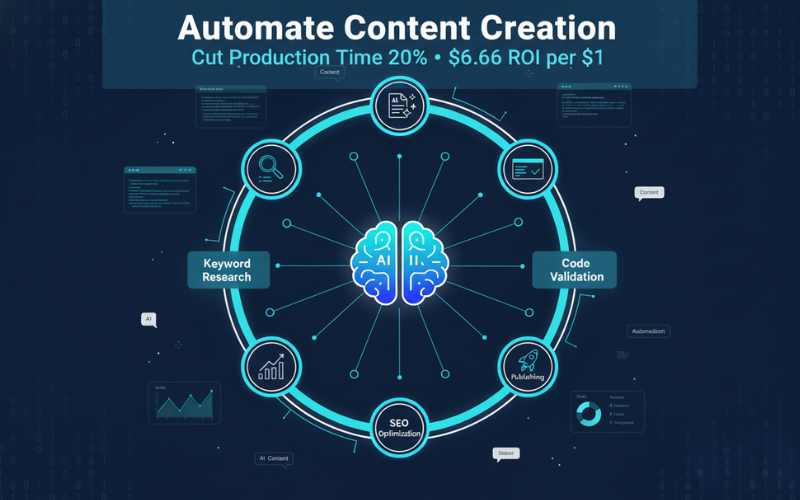
Automate Content Creation: Top 5 AI Tools for Technical Bloggers
Automate content creation for technical blogs using 5 proven AI…
Hostinger Review 2026: Is It Worth It? Real Testing & Performance Results
Looking for affordable web hosting that actually delivers? Our Hostinger…
Contact Us
Do you have any questions? Contact us by clicking the button below.