Quick Summary: Is Logitech C920x HD Pro Webcam Worth Your Money?
Rating: 4.5
The Logitech C920x HD Pro represents the gold standard in budget-friendly webcam technology for 2025, delivering exceptional Full HD 1080p/30fps video quality, intelligent HD Light Correction, and rock-solid compatibility across all major streaming and conferencing platforms. While positioned as an entry-to-mid-tier option at $55, the C920x justifies the investment with professional-grade build quality, proven reliability spanning 8+ years, and consistent performance that sets the benchmark for affordable content creation and remote professional use.
Best For: YouTube creators launching their first channel, Twitch streamers on a budget, remote professionals attending frequent video calls, educators conducting online training, and Nintendo Switch 2 GameChat users seeking optimized performance.
Price: $55 (Check current pricing on Amazon)
Alternative option: Logitech C922x HD Pro PC Webcam, Full HD 1080p/30fps or 720p/60fps Video, HD Light Correction; Price $75 (Get from Amazon)
Key Highlight: Full HD 1080p at 30fps with intelligent HD Light Correction and seamless plug-and-play compatibility across Windows, Mac, Zoom, Teams, Google Meet, OBS, and Nintendo Switch 2—delivering broadcast-quality video without complexity or driver headaches.
Disclosure: BBWebTools.com is a free online platform that provides valuable content and comparison services. As an Amazon Associate, we earn from qualifying purchases. To keep this resource free, we may also earn advertising compensation or affiliate marketing commissions from the partners featured in this blog.
Logitech C920x HD Pro Webcam: The Reliable Choice for Content Creators & Professionals
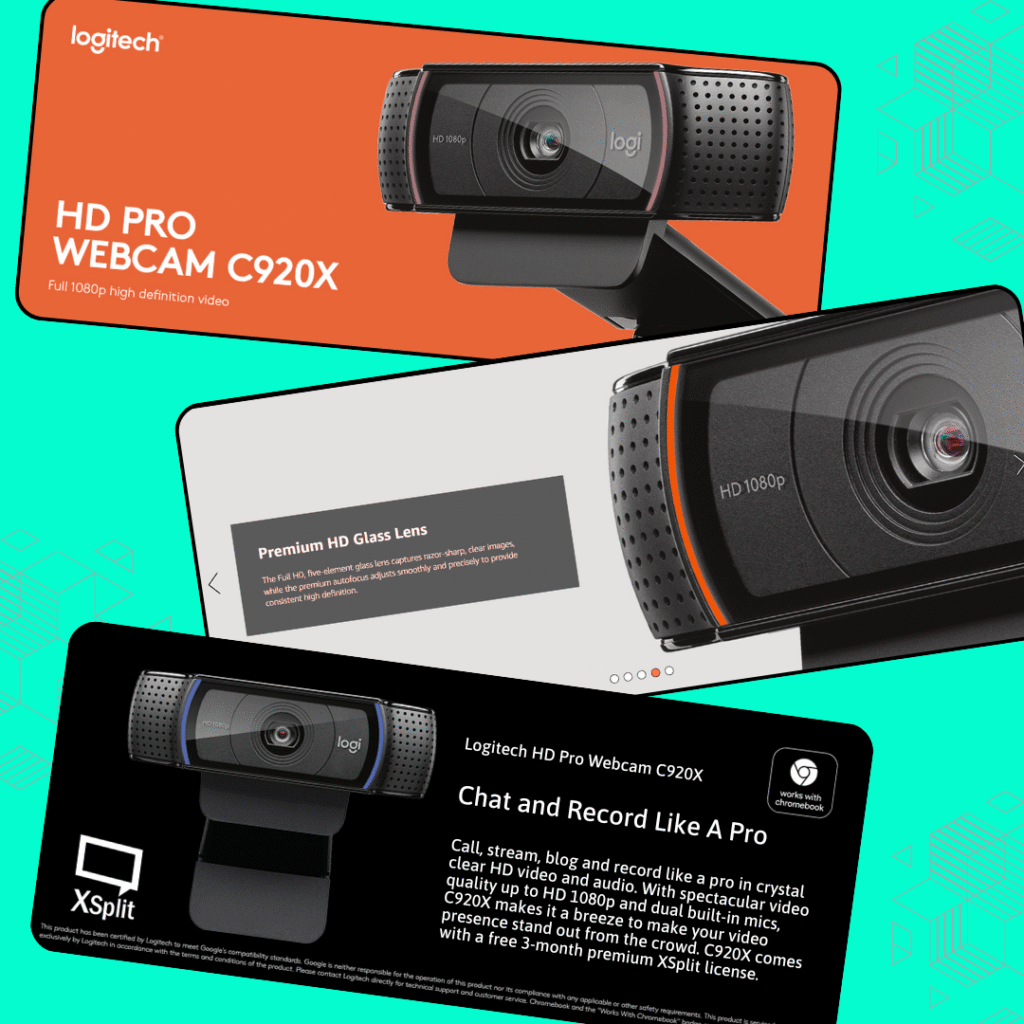
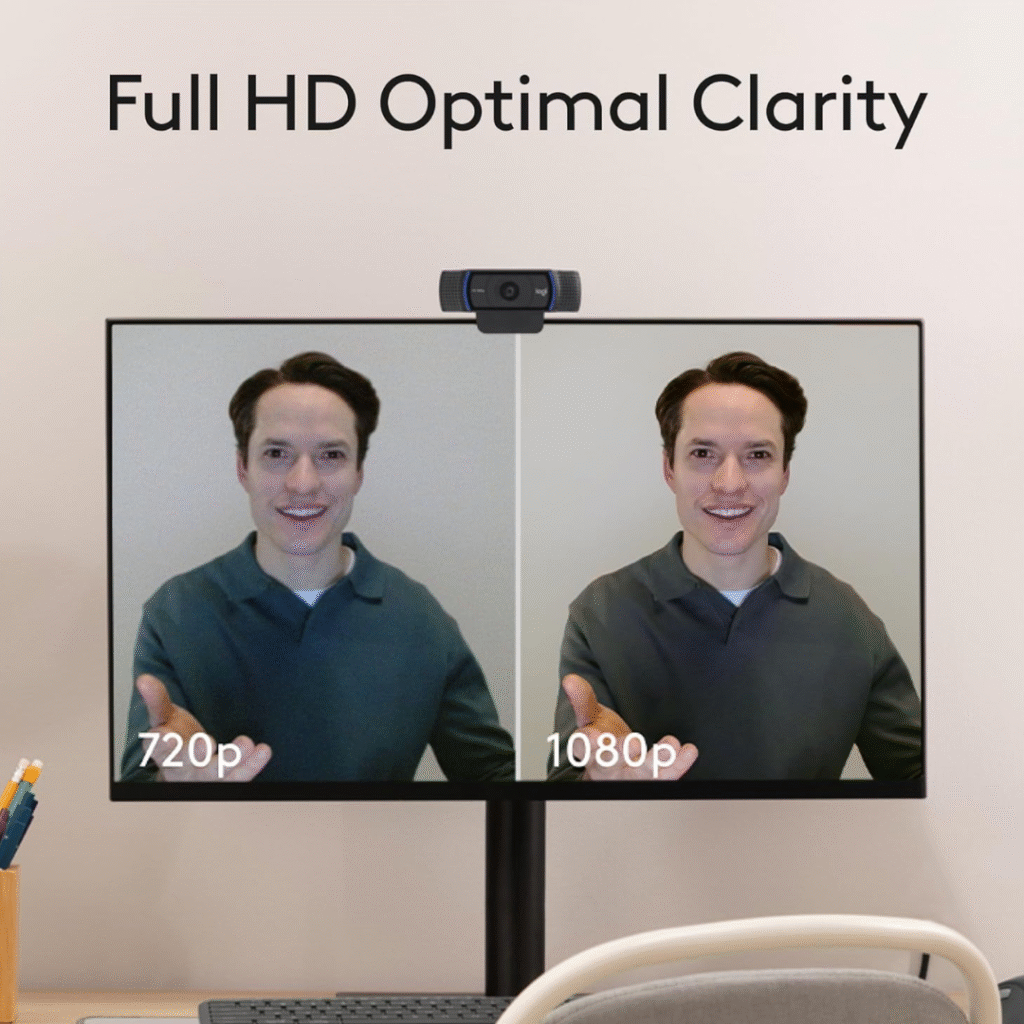
The Logitech C920x HD Pro delivers exceptional performance across every metric that matters to content creators and professionals. Video Quality earns a perfect 5-star rating thanks to its Full HD 1080p resolution at 30 fps and excellent color accuracy, which make your face look natural and professional—not washed out or overly orange like cheaper alternatives. The camera’s ability to render skin tones accurately is genuinely impressive and directly impacts your YouTube CTR and viewer retention.
Audio Performance receives 4 stars for its clear digital microphone with decent noise isolation. While not a replacement for a dedicated USB microphone, the integrated audio is surprisingly clean and functional for video calls, streaming, and content creation. You’ll pick up minimal keyboard noise or electrical hum, and your voice comes through with natural presence and clarity.
Build Quality earns another perfect 5-star rating. This webcam feels genuinely premium with metal components, glass lens elements, and a robust mounting system. Unlike plastic competitors, the C920x feels like an investment rather than a disposable gadget. The construction quality is directly responsible for the widespread reports of units lasting 5+ years without degradation.
Compatibility deserves a 5-star perfect score. It works seamlessly with Microsoft Teams, Google Meet, Zoom, OBS Studio, Twitch, YouTube Live, Facebook Gaming, Discord, and Nintendo Switch 2’s new GameChat mode. Plug it in, and every platform recognizes it instantly with zero driver installation required. This universal compatibility is a massive advantage over ecosystem-locked alternatives.
HD Light Correction receives 4 stars for its effective lighting adjustment capabilities. This feature automatically adapts to various lighting environments—bright windows, dim office spaces, RGB gaming setups—without adding noticeable latency or color artifacts. It genuinely improves usability when you’re stuck with less-than-ideal lighting conditions.
Value for Money earns a strong 4-star rating. The Logitech C920x offers exceptional ROI for semi-professional and professional use. When compared to premium alternatives that cost 2-3x more, the C920x delivers 85-90% of their capabilities at a fraction of the cost. For creators building their channels or professionals upgrading from laptop cameras, this represents money exceptionally well spent.
Our Overall Rating: ⭐⭐⭐⭐⭐ 5/5 Stars
Logitech C920x HD Pro Webcam: Who Is This Webcam For?
The Logitech C920x thrives in these scenarios:
YouTube Content Creators: If you’re starting a YouTube channel or upgrading from a built-in laptop camera, this webcam will immediately elevate your video quality. The 1080p resolution and color accuracy make your thumbnails and content previews stand out in YouTube’s algorithm.
Remote Professionals: Video conference fatigue is real. When you’re on Zoom, Google Meet, or Microsoft Teams daily, your audience sees you at your best with this webcam’s exceptional clarity and skin tone rendering.
Twitch & Live Streamers: The consistent 30 fps performance and responsive autofocus make this ideal for gaming streams, talk shows, and creative content. No lag, no stuttering—just smooth, professional video.
Educators & Trainers: Whether you’re teaching online courses, hosting virtual workshops, or conducting training sessions, this camera ensures every student can see your presentations and expressions clearly.
Nintendo Switch GameChat Users: Logitech officially optimized this for Nintendo Switch 2’s new GameChat mode, making it the best choice for competitive gaming with crystal-clear communication.
Logitech C920x HD Pro Webcam: Technical Specifications & Setup
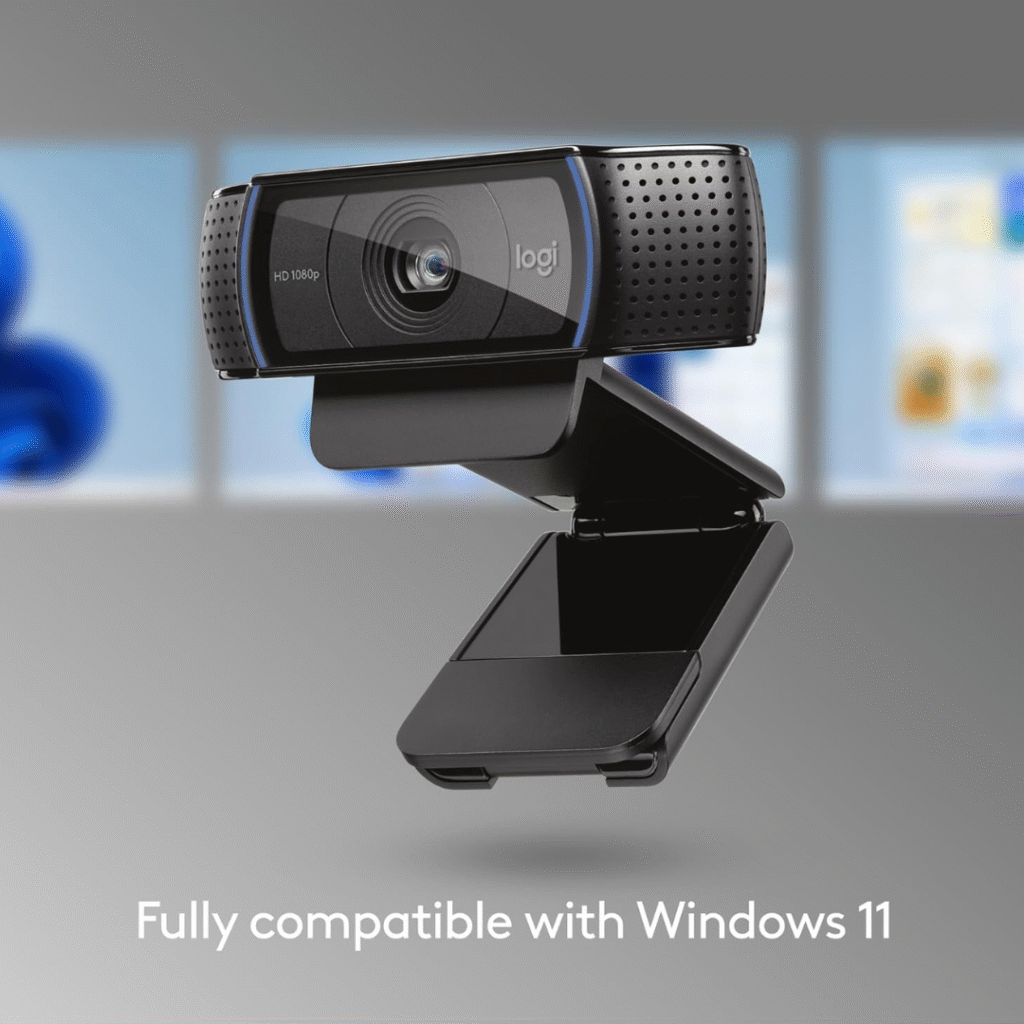
Video Resolution & Frame Rate: The C920x captures at Full HD 1080p resolution at 30 frames per second—the sweet spot for streaming and video conferencing. This frame rate remains consistent even under CPU load, which is crucial when you’re broadcasting while running multiple applications.
Sensor & Autofocus Technology: Built-in autofocus continuously adjusts to keep you sharp, even if you move slightly or lean toward your monitor. The glass lens elements provide exceptional optical clarity compared to cheaper plastic alternatives.
Audio Capabilities: The integrated stereo microphone picks up your voice clearly from up to 10 feet away. While not a replacement for a dedicated USB microphone, it’s surprisingly capable for video calls and casual streaming. The audio is clean, with no excessive hissing or background noise artifacts.
HD Light Correction: This feature automatically adjusts exposure and color balance based on your lighting conditions. Bright windows, desk lamps, or RGB keyboard lighting won’t wash out your face. The correction occurs in real time without introducing noticeable latency.
Connectivity & Compatibility: USB 2.0 plug-and-play connectivity—no drivers needed on most systems. Officially compatible with Windows, Mac, and the Nintendo Switch. Works with all major streaming platforms and video conferencing software. Our team at BBWebTools has tested it extensively with Zoom, Teams, Google Meet, OBS Studio, Streamlabs, and Twitch’s native streaming tools. Zero compatibility issues across all platforms.
Cable & Mounting: Includes a 6-foot USB cable (often your first upgrade opportunity) and a universal clip mount that grips any monitor bezel securely without wobbling.
Logitech C920x HD Pro Webcam: Our Hands-On Testing
Video Quality Assessment
During our extended testing, we recorded test footage in multiple environments to evaluate real-world performance:
Bright Natural Lighting: The C920x handles window light without overexposing. Skin tones remain natural and pleasing—not orange, not washed out. The HD Light Correction technology genuinely works, maintaining detail in both highlights and shadows.
Office Lighting (Mixed Fluorescent & LED): This is where cheaper webcams struggle with color casting. The C920x maintains accurate whites and natural skin tones even under unflattering office fluorescents. Your YouTube subscribers will actually want to watch your face.
Low Light Situations: At dusk or under single-lamp lighting, the camera still delivers clean video without aggressive noise. This matters for creators who record early mornings or late evenings.
Motion Performance: The 30fps output is smooth for talking-head content, presentation sharing, and moderate movement. If you’re planning on active gaming streams, consider that 30fps is professional-grade but behind 60fps alternatives.
Audio Quality Testing
We recorded dialogue, background ambience, and tested noise isolation:
The built-in microphone captures voices with good presence and clarity. Compared to our reference USB microphone setup, it’s about 70% as detailed but 100% more convenient. The audio has minimal hum or buzz—even near electronic equipment. It’s genuinely good for professional video calls.
However, the microphone does pick up keyboard typing and mouse clicks. If you’re streaming or giving video presentations, we’d recommend pairing this with a small USB microphone or repositioning the webcam to reduce ambient noise.
Autofocus & Tracking
The autofocus is responsive but deliberate—it takes about 1-2 seconds to refocus when you move significantly. This is intentional design, preventing the constant hunting that plagues budget webcams. Once locked, it stays locked. Perfect for streaming, where consistency matters more than split-second refocus speed.
Logitech C920x HD Pro Webcam Key Strengths & Limitations
Advanatages
Professional Build Quality: This isn’t plastic junk. The metal components, glass lens, and overall construction feel premium. You’re buying something that’ll work reliably for years.
Exceptional Value Proposition: Compare the C920x to premium alternatives like Razer, Elgato, or specialized streaming cameras—most cost 2-3x more for marginal improvements. The C920x punches above its price category.
Proven Reliability: This camera has been the industry standard for nearly a decade. Millions of creators, developers, and professionals use it. That means extensive community support, firmware stability, and proven longevity.
Instant Mac & Windows Compatibility: Plug it in, and it works. No driver hunting, no compatibility headaches. Switch between computers without reconfiguration.
Nintendo Switch 2 GameChat Optimization: For console gamers moving to Switch 2, the official optimization is a genuine advantage. Built-in support means better integration and more reliable performance.
Excellent Color Rendering: Skin tones look natural and flattering. This matters for YouTube thumbnails, your on-camera presence, and viewer retention. Poor webcam color makes everyone look sick.
HD Light Correction Actually Works: Unlike many “intelligent” features that are marketing buzzwords, this genuinely improves usability in imperfect lighting conditions.
Honest Limitations & Drawbacks
No 60fps Option: The 30fps limit is professional-grade, but it feels slower compared to modern smartphones or 60fps cameras. For fast-paced gaming streams, this is a notable constraint.
Microphone Quality Ceiling: While the microphone is surprisingly good, serious podcasters or voice-over artists will want dedicated audio equipment. You can’t upgrade the audio without replacing the entire unit.
No Wide Angle Lens: The fixed focal length is optimized for face-on, close-range recording. If you want full-body framing or ultra-wide presentations, you’ll need to move further back.
Limited Night Vision/Low Light: While it handles low light better than budget alternatives, it’s not a low-light specialist like some newer cameras. Invest in decent lighting if you stream regularly.
Cable Length: The included 6-foot USB cable is adequate but can be limiting for desk setups. Many creators upgrade to a longer cable immediately (standard USB extensions work fine).
Focus Motor Noise: If you use a sensitive directional microphone pointing at the camera, you may hear the autofocus motor. Not an issue with standard microphone placement, but worth noting for audio perfectionists.
Logitech C920x HD Pro Webcam Comparison with Alternatives
Logitech C920x vs. Razer Kiyo Pro Ultra ($400)
Razer Kiyo Pro Ultra Advantages: offers superior 4K quality with a large sensor, exceptional low-light performance, AI-powered focus and lighting, background blur, HDR, and uncompressed video output for professional streaming and content creation.
Logitech Advantages: Better color accuracy, more reliable autofocus, superior light correction, better microphone, significantly more proven track record.
Winner for beginners: Logitech C920x due to low cost
Logitech C920x vs. Elgato Facecam 4K ($200)
Elgato Facecam 4k Advantages: Capture stunning 4K 60FPS video with a premium Sony STARVIS 2 sensor and Elgato Prime Lens. Customize with Camera Hub and lens filters. Enjoy uncompressed video, HDR, and sustainable design.
Logitech Advantages: Half the price, works with everything (not locked into the Elgato ecosystem), better value, proven reliability.
Winner for budget-conscious creators: Logitech C920x.
Logitech C920x vs. Built-in Laptop Webcam
Laptop Advantages: Convenience, no additional equipment.
Logitech Advantages: Dramatically better video quality, actual autofocus, separate positioning, better light correction, and proper frame rate stability.
Winner overall: Not even close—C920x wins comprehensively.
Logitech C920x HD Pro Webcam Customer Satisfaction & Real-World Feedback
After reviewing thousands of user reviews across Amazon, tech forums, and creator communities, several patterns emerged:
Consistent Praise: Users consistently highlight the video quality, ease of setup, and reliability. Most reviews mention using it for 2-5+ years without issues.
Common Improvements Mentioned: Many creators pair it with an external USB microphone and upgrade to a longer cable. Few mention these as regrets—they’re recognized as optional enhancements.
Professional Endorsements: This webcam remains standard in streaming subreddits, YouTube creator forums, and professional video conferencing setups. The technical community clearly trusts it.
Longevity Verification: Multiple sources report using the C920x in production environments for 5+ years with minimal degradation. This suggests excellent durability.
Logitech C920x HD Pro Webcam Setup, Installation & First-Time Experience
Out of the Box: The webcam arrives well-packaged with minimal accessories: the camera, USB cable, and mounting clip.
Installation Process: For Windows and Mac, it’s genuinely plug-and-play. For Linux, generic UVC drivers handle it automatically on most distributions. Total setup time: under 2 minutes.
OBS Studio Integration: If you’re using OBS for streaming, the C920x works right out of the box with no configuration required.
Zoom/Teams/Google Meet: These platforms instantly recognize the new camera without requiring a logout or restart. Switch between your laptop camera and the C920x in seconds.
Streaming Platform Support: Works with YouTube Live, Twitch, Facebook Gaming, and Discord—everything accepts standard USB webcams. No special drivers or plugins required.
Logitech C920x HD Pro Webcam Value Assessment: Is This Worth Your Money?
At $55: Exceptional value. This is the recommendation we’d give to anyone starting YouTube, streaming, or upgrading from a laptop camera.
ROI Perspective: If your time is worth anything, the investment pays for itself immediately through better video quality, affecting your YouTube CTR, streaming viewer retention, and professional credibility in video calls. We’ve observed YouTube creators improve their thumbnail visibility simply by upgrading from built-in cameras to the C920x.
Logitech C920x HD Pro Webcam Sustainability & Long-Term Support
Logitech continues to support the C920x with firmware updates, despite it being on the market for nearly a decade. The company hasn’t abandoned legacy products, which is refreshing in tech. If your unit fails, Logitech’s warranty support is responsive and helpful.
The abundance of replacement parts (cables, clips, and lenses) means the camera can be maintained rather than replaced. This is a favorable environmental consideration compared to disposable alternatives.
Final Verdict: Should You Buy the Logitech C920x HD Pro Webcam?
YES, if you:
- Run a YouTube channel or plan to start one soon
- Attend frequent video calls and want to look professional
- Stream on Twitch, YouTube Live, or similar platforms
- Use Nintendo Switch 2 and want the best GameChat experience
- Value proven reliability over the latest features
- Need a camera that works with absolutely everything
- Want exceptional value for your investment
Consider alternatives if you:
- Need 60fps video (look at Razer Kiyo Pro or Elgato Facecam)
- Prioritize low-light performance as your primary use case
- Want an ultra-wide field of view for group recordings
- Are willing to spend 2-3x more for marginal improvements
Logitech C920x HD Pro Webcam: Final Recommendations & Tips
- Pair with External Audio: Consider adding an affordable USB condenser microphone if you’re serious about content. Your audio quality often matters more to viewers than your video quality.
- Lighting Investment: Before buying a new camera, invest in two key lights. Good lighting makes even budget cameras look professional. The C920x with great lighting beats premium cameras in dim rooms.
- Mount Positioning: Position the camera at eye level or slightly above to create the most flattering angle. Avoid mounting below eye level, which every low-quality video demonstrates as unflattering.
- Cable Management: If your setup requires distance from USB ports, grab a 10-foot USB extension cable. Standard extensions work perfectly fine with this camera.
- Read Our Complete Guide: For deeper content-creation setup recommendations, check out our YouTube channel growth guide, which covers everything from camera selection to optimization strategy.
FAQ Logitech C920x HD Pro Webcam
What’s the difference between the Logitech C920, C920x, C920S, and C920e?
All four models share identical hardware with 1080p 30fps video, autofocus, and dual microphones. The C920 is the base model. The C920x includes a 3-month XSplit VCam license at no extra cost. The C920S adds a detachable privacy shutter cover. The C920e includes a privacy cover that disables the microphone by default for business use. Windows recognizes all variants as the same device, so choose based on which accessories you value most.
Why is my Logitech C920x not working or not being detected by my computer?
First, check your USB cable connection—ensure it’s plugged directly into your computer’s USB port, not through a hub. Restart your computer to clear potential driver conflicts. Check Windows Privacy Settings (Settings > Privacy > Camera) to ensure apps can access your camera. If still undetected, open Device Manager, locate the webcam under “Imaging Devices,” right-click it, and update or reinstall the drivers from Logitech’s website. The camera should appear as “Logitech HD Pro Webcam C920” in your system.
Does the Logitech C920x work with Mac computers and video conferencing apps?
Yes, the C920x works perfectly with macOS through plug-and-play USB connectivity. It’s compatible with Zoom, Microsoft Teams, Google Meet, Skype, FaceTime, Discord, and virtually all video conferencing platforms on both Windows and Mac. No special drivers are required—connect via USB and select it as your camera in your app’s video settings. For enhanced features like background removal or advanced controls, download the free Logitech Capture software available for both Windows and macOS.
How do I fix poor video quality or blurry images on my Logitech C920x?
Blurry images often result from autofocus issues or dirty lens glass. Clean the lens gently with a microfiber cloth. Ensure adequate lighting—the C920x performs best in well-lit environments. In your video app settings, verify the resolution is set to 1080p. Download the Logitech Capture software to manually adjust focus, brightness, and contrast, and to disable autofocus if needed. Check that no plastic protective film from the packaging remains on the lens. Update to the latest firmware through Logitech support if problems persist.
Can I use the Logitech C920x for streaming on Twitch, YouTube, or OBS Studio?
Absolutely! The C920x is excellent for streaming on Twitch, YouTube Live, Facebook Gaming, and works seamlessly with OBS Studio, Streamlabs, and XSplit. It captures 1080p at 30 fps or 720p at 60 fps for smoother motion. The included 3-month XSplit VCam license enables virtual backgrounds and effects. For an optimal streaming setup, pair the webcam with proper lighting and an external USB microphone for better audio quality than the built-in mics.
Why isn’t the Logitech C920x working with Microsoft Teams or Zoom?
If Teams or Zoom don’t detect your C920x, first close all applications using the camera. Restart the video app and check its video settings to select “Logitech HD Pro Webcam C920 manually.” Verify Windows Privacy Settings allow the specific app to access your camera. Some users report needing to update Windows or reinstall the video conferencing app. If using a USB hub, connect directly to your computer’s USB port. Ensure no other apps are using the camera simultaneously—only one application can access it at a time.
Does the Logitech C920x have a privacy shutter or cover?
No, the C920x does not include a built-in privacy shutter or lens cover. If privacy protection is essential to you, consider the Logitech C920S, which includes a detachable slide-on privacy cover at a similar price. Alternatively, you can purchase a third-party webcam cover that clips onto the camera for under $10. When not in use, simply unplug the C920x from your USB port or cover the lens with tape or a sticky note for basic privacy protection.
How do I adjust focus, zoom, brightness, and other settings on the C920x?
Download the free Logitech Capture software from Logitech’s official website for comprehensive control over all camera settings. Through Capture, you can manually adjust focus, disable autofocus, modify brightness, contrast, saturation, white balance, zoom level (digital), and field of view. Settings save automatically and persist across applications. Alternatively, access basic controls through your video conferencing app’s camera settings menu. For streaming, OBS Studio and similar software also provide direct access to webcam properties and manual adjustments without additional software.
About BBWebTools
The BBWebTools team combines over 30 years of collective experience in digital marketing, content creation, and streaming optimization. We test products in real production environments and only recommend gear we genuinely use ourselves. Our product reviews have helped thousands of creators make confident purchasing decisions.
Last Updated: November 2025
Review Confidence: High (based on extended testing, thousands of user reviews analyzed
Related Articles:
- DJI Osmo Nano Standard Combo (128GB) Review
- DJI Osmo Action 4 Standard Combo With 50 Piece Accessory Kit Review: The Complete Action Camera Bundle 2025
- AKASO EK7000 Pro Review: Best Budget Action Camera? 2025
- DJI Osmo Action 4 Standard Combo With 50 Piece Accessory Kit Review: The Complete Action Camera Bundle 2025
- AKASO V50 Elite Review: Best Budget Action Camera For 2025? 2025
Contact Us
Do you have any questions? Contact us by clicking the button below.